LightningPiggy

LightningPiggy's avatar
LightningPiggy
LightningPiggy@primal.net
npub1y2qc...affq
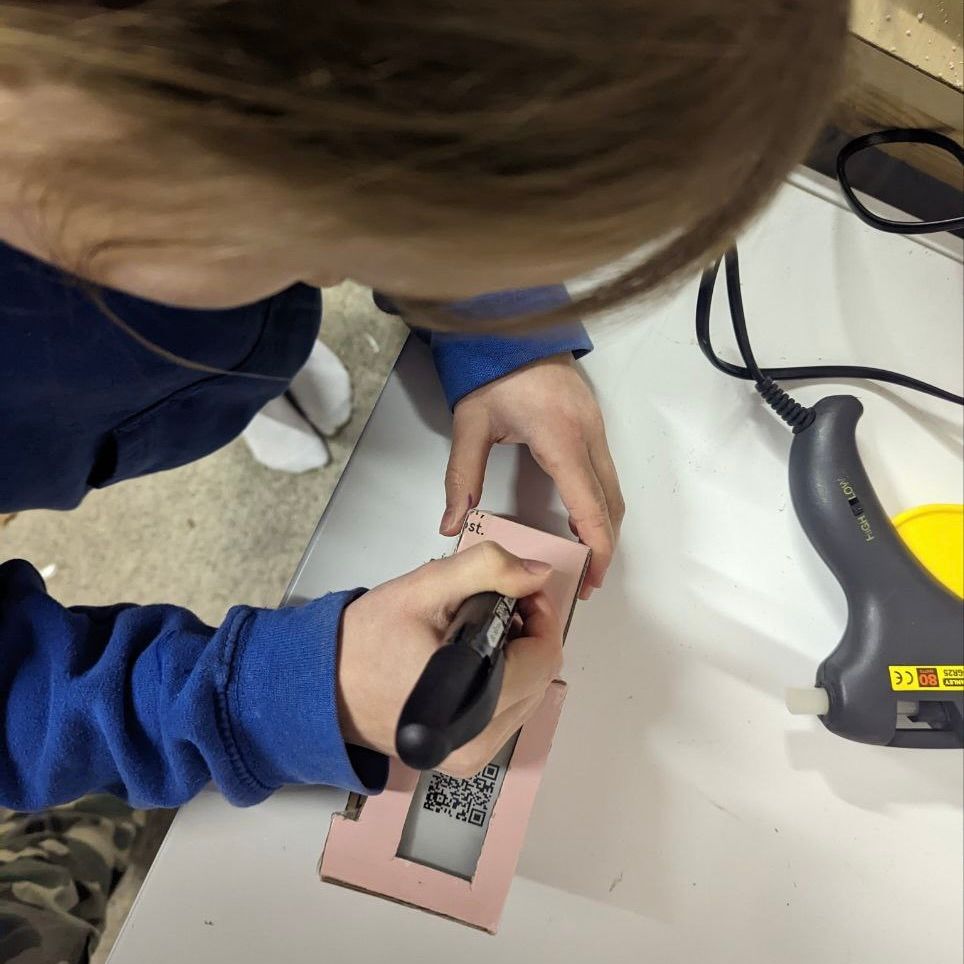
An electronic cash piggy bank for children that accepts bitcoin sent over lightning, while displaying the amount saved in satoshis.
Freedom Farm News: Oink-credible news for LightningPiggy 2.0 owners! MicroPythonOS, the belly of the beast, has been freshly upgraded with some seriously tasty improvements. Time to tuck in ⚡️🐽👩‍🌾 MPOS 0.5.1 Release Highlights A brand-new Camera experience The Camera app has received a major overhaul with new Basic, Advanced, and Expert modes. Scanning QR codes is now dramatically more powerful; even tiny, high-density codes (like Nostr Wallet Connect) on phone screens, damaged images, or codes with logos and dots are decoded reliably. Better image handling You can now delete images directly from ImageView, and grayscale images are fully supported. Smarter updates & connectivity System updates now automatically pause if Wi-Fi drops and resume when you’re back online. The Wi-Fi app also feels smoother thanks to improved keyboard handling and fixed cancel behaviour. Improved hardware support Fri3d Camp 2024 boards gain startup light and sound feedback, more accurate battery readings, and full support for the WSEN-ISDS 6-axis IMU — including temperature sensing. More control Storage usage is now visible in the About app, IMU calibration has been added to Settings, and the back-swipe gesture intelligently closes the top menu when it’s open. Under-the-hood improvements New audio, lighting, and sensor APIs unlock richer apps, smoother animations, and better hardware integration across the system. Credits * @Nostradamus * Mark19000 ref. UI: back swipe gesture closes topmenu when open Team LightningPiggy LightingPiggy is an electronic cash piggy bank for children, that accepts Bitcoin sent over the Lightning Network. It displays payment amounts, messages, and the total satoshis saved. Our vision is to make bitcoin the savings’ standard for every child, while creating an educational platform to inspire future generations, not only to save in bitcoin, but also to learn to code and build in a free and open-source way. #LightningPiggy #STEMM #BitcoinKids #FOSS #BuildInPublic #bitcoin image

Freedom Farm News: MicroPythonOS 0.5.0 has left the barn and is running wild! LightningPiggy 2.0 owners, you’ll want to roll in the mud with this one ⚡️🐽👩‍🌾 ESP32 / Core * Unified build system: now one build to rule them all. A single firmware image auto-detects and initializes any supported board at runtime. MposKeyboard * Fixed bug where **q, Q, 1, ~** keys were unclickable * Increased keyboard font size 16 → 20 * Replaced newline symbol with a checkbox for “OK, Ready” * Enlarged space bar for easier typing OSUpdate App * Simplified network handling using ConnectivityManager * Updated logic to support new device IDs ImageView App * Improved error handling and overall robustness Settings App * Tweaked font sizing for improved readability * Added new option: “Format internal data partition” * Fixed checkbox + button interaction issues UI / UX Improvements * Pass-through: clicks on the invisible “gesture swipe start” area are now correctly forwarded * Back/down gesture icons now show only during swipe, not on tap * Doubled the size of the back/down gesture activation zones * Increased overall gesture sensitivity * Fixed visual glitches during UI animations API / System * Added instrumentation hooks (screengrabs, mouse-click simulation) * Moved WifiService to mpos.net * Removed unused fonts to reduce firmware size * Replaced font_montserrat_28 with a compressed version * Improved SD-card error handling WifiService * Now prioritizes connecting to the strongest available networks Credits * @Nostradamus image
🥁 Farm News: MicroPythonOS 0.4.0 is out and running! LightningPiggy 2.0 owners, you’ll want to grab this one by the tail ⚡️🐽 Here’s the change log: * Add custom MposKeyboard with more than 50% bigger buttons, great for tiny touch screens! * Apply theme changes (dark mode, color) immediately after saving * About app: add a bit more info * Camera app: fix one-in-two "camera image stays blank" issue * OSUpdate app: enable scrolling with joystick/arrow keys * OSUpdate app: Major rework with improved reliability and user experience * add WiFi monitoring - shows "Waiting for WiFi..." instead of error when no connection * add automatic pause/resume on WiFi loss during downloads using HTTP Range headers * add user-friendly error messages with specific guidance for each error type * add "Check Again" button for easy retry after errors * add state machine for better app state management * add comprehensive test coverage (42 tests: 31 unit tests + 11 graphical tests) * refactor code into testable components (NetworkMonitor, UpdateChecker, UpdateDownloader) * improve download error recovery with progress preservation * improve timeout handling (5-minute wait for WiFi with clear messaging) * Tests: add test infrastructure with mock classes for network, HTTP, and partition operations * Tests: add graphical test helper utilities for UI verification and screenshot capture * API: change "display" to mpos.ui.main_display * API: change mpos.ui.th to mpos.ui.task_handler * waveshare-esp32-s3-touch-lcd-2: power off camera at boot to conserve power * waveshare-esp32-s3-touch-lcd-2: increase touch screen input clock frequency from 100kHz to 400kHz
An all-new @LightningPiggy is coming. Born into a world where bitcoin, nostr, and vibe coding are the norm. The future is bright, programmable, and powered by sats. Witness the reveal at @BTC Prague‘s 2025’s Dev/Hack/Day. #LightningPiggy #STEMM #BitcoinKids #bitcoin image
Some new experimental piggy hardware (ESP32-S3-LCD-2-C) has just arrived but unfortunately, the camera mount has been installed backwards at the factory, making it impossible to connect the OV5640 camera ribbon. Oh Grunt! Back to rolling about in the mud while we get this sorted! ⚡️🐽 #LightningPiggy #STEMM #BitcoinKids #BuildInPublic #bitcoin
Hot on the hoofs of our last major update, v6.1.0 has just landed, bringing 100% feature parity between LNBits and Nostr Wallet Connect (NWC) —empowering users with greater choice and convenience as they start receiving their first zaps and saving on the bitcoin standard! In short, going ‘full Nostr’ means you won’t have to deal with any boar-ing limitations, just smooth P2P (Peer-to-Piggy) connectivity! 🐽 Change log: * Nostr Wallet Connect: Added support for NIP47 payment notifications for instant updates! Now, when a payment zaps in, your wallet balance(s) and updated list of payments will be displayed immediately - no more wallowing around waiting! * Fixed issue #30: When a payment comment is missing, “Null” messages are a thing of the past, because we don’t want our logs looking like a muddy mess! (Thanks @Jurjen de Vries for reporting the bug!) Much of the hard work for this update involved adding support for payment notifications to the Nostrduino open source library. Furthermore, we’d like to thank @Mysterious Hamster for proactively working with us to enable these features. Enjoy the update! Stay humble, hog sats! Credits * @Nostradamus * Lead photo: LightningPiggy coloured in at the Kids Block, Bitcoin Atlantis 2024. Team LightningPiggy LightingPiggy is an electronic cash piggy bank for children, that accepts Bitcoin sent over the Lightning Network. It displays payment amounts, messages, and the total satoshis saved. Our vision is to make bitcoin the savings’ standard for every child, while creating an educational platform to inspire future generations, not only to save in bitcoin, but also to learn to code and build in a free and open-source way. Build your own: Chat with our community: Join our shadowy super coders: Support the project: Follow us on Nostr: https://njump.me/npub1y2qcaseaspuwvjtyk4suswdhgselydc42ttlt0t2kzhnykne7s5swvaffq Follow us on X: #LightningPiggy #STEMM #BitcoinKids #FOSS #BuildInPublic #bitcoin image
🥁 Drumroll, please! 🥁 We’re thrilled to announce the integration of Nostr Wallet Connect (NWC) into LightningPiggy! Now, you can seamlessly your Lightning Piggybank directly to any NWC-enabled wallet, unlocking a whole new world of funding sources. With effortless setup, smooth transactions, and even more ways to hog sats, saving on a bitcoin standard just got easier. LightningPiggy was the first piggy bank to accept bitcoin over lightning thanks to @LNbits. Now, we’re the first to connect with the fast growing Nostr ecosystem, thanks to @npub19hg5...yv9p! You might want to build one yourself, in case it catches on!⚡🐽 Our lead developer, Thomas, has been firing on all cylinders. A large part of the effort involved improving Nostrduino, optimising it for low-memory microcontrollers like the ESP32, which powers our project. This involved fixing bugs, improving performance, and adding essential features to meet our needs. For reference, here are 10 related pull requests showcasing these improvements: Additional improvements that come with this v6.0.X release include: - Added NWC URL to the configuration page for easier wallet connection. - Improved help text on the configuration page for better clarity. - Enhanced timezone selection by adding GMT offsets for more precise setup. - Displayed IP address after connecting to an access point as a client. - New functionality for the General Purpose (IO39) button: • Short press refreshes the balance (like the tilt sensor). • Short press skips the wait time during the logo/boot wisdom display. - Optimised Wi-Fi connectivity with a full network scan, automatically selecting the strongest access point. Credits * @Nostradamus * @Jurjen de Vries for sponsoring this update. * Lead photo: A selection of community created cases. Team LightningPiggy LightingPiggy is an electronic cash piggy bank for children, that accepts Bitcoin sent over the Lightning Network. It displays payment amounts, messages, and the total satoshis saved. Our vision is to make bitcoin the savings’ standard for every child, while creating an educational platform to inspire future generations, not only to save in bitcoin, but also to learn to code and build in a free and open-source way. Build your own: Chat with our community: Join our shadowy super coders: Support the project: Follow us on Nostr: https://njump.me/npub1y2qcaseaspuwvjtyk4suswdhgselydc42ttlt0t2kzhnykne7s5swvaffq Follow us on X: #LightningPiggy #STEMM #BitcoinKids #FOSS #BuildInPublic #bitcoin image