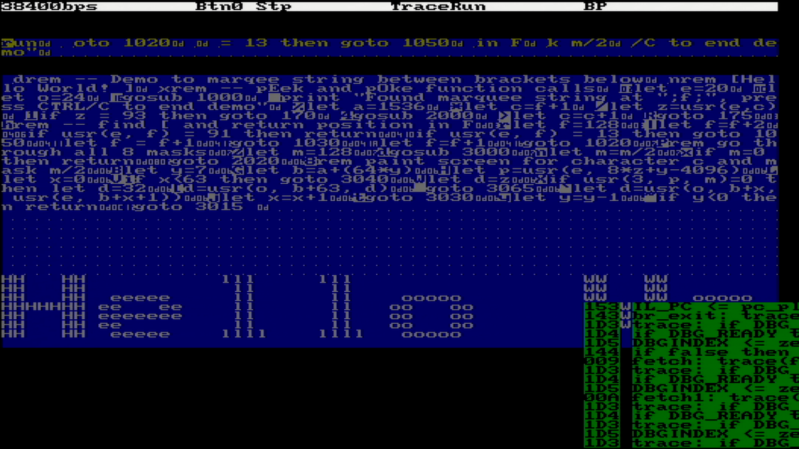
Designing a CPU for Native BASIC Over the years there have been a few CPUs designed to directly run a high-level programming language, the most common approach being to build a physical manifestation of a portable code virtual machine. An example might be the experimental Java processors which implemented the JVM. Similarly, in 1976 Itty Bitty Computers released an implementation of Tiny BASIC which used a simple virtual machine, and to celebrate 50 years of Tiny BASIC, [Zoltan Pekic] designed a CPU that mirrors that VM. The CPU was created within a Digilent Anvyl board, and the VHDL file is freely available. The microcode mapping ROM was generated by a microcode compiler, also written by [Zoltan]. The original design could execute all of the 40 instructions included in the reference implementation of Tiny BASIC; later iterations extended it a bit more. To benchmark its performance, [Zoltan] set the clock rate on the development board equal to those of various other retrocomputers, then compared the times each took to calculate the prime numbers under 1000 using the same Tiny BASIC program. The BASIC CPU outperformed all of them except for Digital Microsystems’ HEX29. The next step was to add a number of performance optimizations, including a GOTO cache and better use of parallel operations. [Zoltan] then wrote a “Hello World” demo, which can be seen below, and extended the dialect of Tiny BASIC with FOR loops, INPUT statements, multiple LET statements, the modulo operator, and more. Finally, he also extended the CPU from 16-bit to 32-bit to be able to run an additional benchmark, on which it once again outperformed retrocomputers with comparable clock speeds. We’ve previously seen [Zoltan]’s work with FPGAs, whether it’s giving one a cassette interface or using one to directly access a CPU’s memory bus. BASIC has always been a cross-platform pioneer, once even to the extent of creating a free national standard. youtube.com/embed/Gqw1EIlatDk?… hackaday.com/2025/12/17/design… image
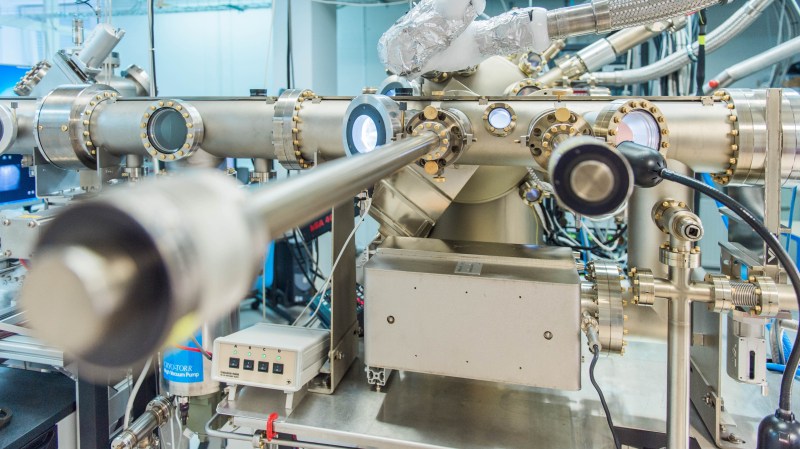
Germanium Semiconductor Made Superconductor by Gallium Doping Over on ScienceDaily we learn that an international team of scientists have turned a common semiconductor germanium into a superconductor. Researchers have been able to make the semiconductor germanium superconductive for the first time by incorporating gallium into its crystal lattice through the process of molecular-beam epitaxy (MBE). MBE is the same process which is used in the manufacture of semiconductor devices such as diodes and MOSFETs and it involves carefully growing crystal lattice in layers atop a substrate. When the germanium is doped with gallium the crystalline structure, though weakened, is preserved. This allows for the structure to become superconducting when its temperature is reduced to 3.5 Kelvin. It is of course wonderful that our material science capabilities continue to advance, but the breakthrough we’re really looking forward to is room-temperature superconductors, and we’re not there yet. If you’re interested in progress in superconductors you might like to read about Floquet Majorana Fermions which we covered earlier this year. hackaday.com/2025/12/17/german… image
Underwater Jetpack is Almost Practical The jet pack is one of those pre-war sci-fi dreams that the cold light of rational consideration reveals to be a terrible idea. Who wants to cook their legs with hot exhaust while careening out of control? Nobody. Yet it’s such an iconic idea, we can’t get away from it. What if there was a better environment, one where your jetpack dreams could come true? [CPSdrone] has found one: the world’s oceans, and have taken that revelation to build the world’s fastest underwater jetpack. Underwater? Yeah, water drag is worse than air drag. But there are two big advantages: one, humans are fairly buoyant, so you don’t need fight gravity with rocket thrust, and two, the high density of water makes small, electric props a reasonable proposition. The electric ducted fans on this “jetpack” each produce about 110 pounds of thrust, or just over 490 N. The first advantage is helped further by the buoyancy provided by the air-filled “hull” of the jetpack. That’s necessary because while the motors might be rated for submersion, but the rest of the electronics aren’t. Alas, wearing the device on the back is considerably less hydrodynamic than hanging on behind in the standard ‘water scooter’ configuration. While they’re able to go faster than a swimming human, the ESCs weren’t able to handle the motors full power so we can’t tell you if this device would allow [CPSdrone] to outrun a shark with those 220 lbf on tap, which was the design goal. Apparently they’re working on it. From the testing done on-screen, it’s safe to say that they’d at least need to hang on behind to get their desired speed goals, and abandon their jet pack dreams just as we landlubbers were forced to do long ago. Well, some of us, anyway. youtube.com/embed/RjUV6Y-baDY?… hackaday.com/2025/12/17/underw… image
Vulnerabilità critica in Windows Admin Center: falla sicurezza permette takeover server Una falla di sicurezza davvero è stata scoperta in Windows Admin Center (WAC) di Microsoft. In pratica, un errore di autorizzazione può far assumere il controllo totale di un server a qualsiasi utente standard. Il team di Cymulate Research Labs hanno pubblicato un nuovo report che illustra la scoperta di CVE-2025-64669, ovvero una vulnerabilità (CVSS 7.8) di tipo Local Privilege Escalation (LPE). Questa debolezza va a colpire proprio le versioni più in voga dello strumento per gestire l’infrastruttura. Insomma, è una vulnerabilità che può mettere a rischio la sicurezza dei server. La notizia è arrivata dopo un’analisi approfondita da parte del team di ricerca, che ha messo nel mirino il problema. A quanto pare, la falla di sicurezza è una guest star nelle versioni più popolari di WAC. Un utente con intenzioni poco pure potrebbe facilmente approfittare di questo errore per ottenere i privilegi di amministratore e quindi prendere il controllo totale del server, il che è davvero poco rassicurante. Il problema nasce da un errore di configurazione davvero semplice: una cartella di sistema super importante è stata lasciata sbloccata. I ricercatori hanno scoperto che la directory C:ProgramDataWindowsAdminCenter era impostata per essere accessibile a tutti gli utenti standard, anche per quanto riguarda la scrittura. In pratica, questo errore ha permesso agli aggressori di prendere il controllo della situazione. Ora, grazie alla correzione di Microsoft, la falla è stata chiusa. La vulnerabilità è stata causata da una mancata protezione della cartella, che è stata configurata per essere accessibile a tutti, senza troppe restrizioni. Questo ha fatto sì che gli utenti standard potessero scrivere nella directory, senza essere bloccati. La scoperta della vulnerabilità ha portato Microsoft a prendere provvedimenti, e ora la sicurezza della rete è stata rafforzata. “La causa principale risiede nelle autorizzazioni di directory non sicure, in cui la cartella C:ProgramDataWindowsAdminCenter è scrivibile da tutti gli utenti standard”, afferma il rapporto. Questa svista ha fatto sì che qualsiasi utente con privilegi bassi sul sistema potesse manomettere i file utilizzati dai processi più potenti dell’Admin Center. “Gli utenti standard con accesso al file system sottostante possono sfruttare questa configurazione errata per aumentare i privilegi”. Trovare una cartella scrivibile è una cosa, sfruttarla come arma è un’altra. I ricercatori hanno identificato due percorsi distinti per sfruttare questa falla , ma il metodo più ingegnoso prevedeva di ingannare il programma di aggiornamento del WAC. La scoperta del team ha rivelato che era possibile effettuare un attacco di “DLL Hijacking” sul processo WindowsAdminCenterUpdater.exe. Nonostante ciò, l’aggiornamento presentava un meccanismo di protezione che consisteva nella convalida delle firme digitali prima del caricamento dei file. “Avevamo quasi rinunciato, ma poi abbiamo notato qualcosa di interessante”, hanno scritto i ricercatori. Si sono resi conto che il processo di convalida presentava una piccola finestra di vulnerabilità, una classica falla “Time-of-Check Time-of-Use” (TOCTOU). “Il processo di convalida avviene all’interno del processo WindowsAdminCenter stesso e, al termine, richiama e apre WindowsAdminCenterUpdater.exe”. Microsoft ha assegnato il problema CVE-2025-64669 e ha assegnato al team di Cymulate una ricompensa di 5.000 dollari per le sue scoperte. Gli amministratori che utilizzano Windows Admin Center sono invitati ad aggiornare immediatamente alla versione 2411 o successiva per colmare questa lacuna critica. L'articolo Vulnerabilità critica in Windows Admin Center: falla sicurezza permette takeover server proviene da Red Hot Cyber.
Building a Flying Blended Wing Body Aircraft Prototype Anyone with an inkling of interest in super-sized remote control aircraft probably has at least seen some of the mind-blowing projects that [Ramy RC] has worked on over the years, with examples like the ongoing Airbus A380-800 build approaching the size of a full-sized business jet. That said, they recently got the offer to build a flying prototype of the Natilus Horizon, a blended wing body (BWB) aircraft that’s currently being developed into a full-sized production aircraft. Suffice it to say that BWB RC aircraft isn’t something that they have built before, but as co-founder of Natilus, [Aleksey Matyushev], explains, they want to prove in this manner that building scale prototypes of future production aircraft is not nearly as complex as it’s often made out to be. Meaning that even two blokes in a shed as is the case here should be able to pull it off. Natilus was founded in 2016 amidst strongly rising interest in these BWB aircraft designs that may one day threaten today’s tubes-with-wings. Their Kona design would be the cargo version and this Horizon prototype that [Ramy RC] is building the passenger version. In this first video of two total, we can see the CAD project of the prototype and how the basic aircraft structure is being constructed out of carbon fiber composite, wood and foam. To this the engine nacelles, landing gear and wings are mounted, readying it for its maiden flight. The Natilus engineers have previously done all the simulations that should mean that it’ll fly like a glider, but we will have to wait until the next video to see whether that is the case. youtube.com/embed/6sSr3gFUCVo?… hackaday.com/2025/12/17/buildi…
FLOSS Weekly Episode 859: OpenShot: Simple and Fast This week Jonathan chats with Jonathan Thomas about OpenShot, the cross-platform video editor that aims to be simple to use, without sacrificing functionality. We did the video edit with OpenShot for this episode, and can confirm it gets the job done. What led to the creation of this project, and what’s the direction it’s going? Watch to find out! github.com/OpenShot openshot.org/cloud-api/ And that Computerphile video: youtube.com/watch?v=MS7hXuO2UK… youtube.com/embed/405Q6AXFHWo?… Did you know you can watch the live recording of the show right on our YouTube Channel? Have someone you’d like us to interview? Let us know, or have the guest contact us! Take a look at the schedule here. play.libsyn.com/embed/episode/… Direct Download in DRM-free MP3. If you’d rather read along, here’s the transcript for this week’s episode.Places to follow the FLOSS Weekly Podcast: Spotify RSS Theme music: “Newer Wave” Kevin MacLeod (incompetech.com) Licensed under Creative Commons: By Attribution 4.0 License hackaday.com/2025/12/17/floss-… image
The PediSedate: A Winning Combination Of Video Games And Anesthesia One can understand that it would be nice to have something to focus on while trying to remain calm ahead of a medical procedure. Credit: PediSedate Once upon a time, surgery was done on patents who were fully conscious and awake. As you might imagine, this was a nasty experience for all involved, and particularly the patients. Eventually, medical science developed the techniques of anaesthesia, which allowed patients to undergo surgery without feeling pain, or even being conscious of it at all. Adults are typically comfortable in the medical environment and tolerate anaesthesia well. For children, though, the experience can be altogether more daunting. Thus was invented the PediSedate—a device which was marketed almost like a Game Boy accessory intended to deliver anaesthetic treatment in order to safely and effectively prepare children for surgery.A Happy Distraction A child wearing the PediSedate mask. Credit: PediSedate The patent filing for the PediSedate doesn’t give away much in the title—”Inhalation And Monitoring Mask With Headset.” Still, US patent 5,697,363 (PDF) recorded an innovative device, intended to solve several issues around the delivery of anaesthesia to pediatric patients. Most specifically, those developing the device had noted a great deal of anxiety and stress when using traditional anaesthesia masks with young patients. The device was created by Geoffrey A. Hart, an anaestheologist based in Boston. His hope was to create an anaesthesia delivery device that could be used with a child in a “non-threatening, non-intrusive manner.” The resulting device looked rather a lot like a big, colorful audio headset. Indeed, it had headphones to that could play audio to the wearer, while an arm that extended out over the face could deliver nitrous oxide or other gases via the nasal route. Sensors were included for pulse oximetry in order to track the patient’s heart rate and blood oxygenation, while an integrated capnometer measured vital respiratory factors including carbon dioxide levels in the breath. Provision in the patent was also made for including a microphone, either for interactivity purposes with entertainment content for distraction’s sake, or to allow communication with medical personnel at a distance. This would be particularly useful in the case of certain imaging studies or treatments, where doctors and nurses must remain a certain distance away. Press materials that showed the device in use with a handheld created the idea that this was a Game Boy accessory. It was certainly never an official one; in reality, it was a pair of headphones that also delivered anaesthesia while monitoring the patient. Credit: PediSedate Press materials and a website were launched in 2009, as the device went through Phase II clinical trials. Most materials showed the PediSedate being used in tandem with a Nintendo Game Boy. The device featured an aesthetic that followed the late 90s trend of bright colors and translucent plastics. It was often paired in photos hooked up to a Game Boy to help distract a child during sedation, with the device often talked about as an “accessory” for the handheld console. This wasn’t really the case—it was essentially a child-friendly anaesthetic mask with headphones that could be hooked up to any relevant sound source. However, at the time, a Game Boy was a readily available way to distract and calm a sick child, and it could be had in colors that matched the PediSedate device. Those behind the PediSedate noted the device was “very well recieved by parents, kids and health-care workers.” The benefits seem to pass the common-sense check—it’s believable that the PediSedate succeeded at being a less-scary way to present children with anaesthetic treatment while also giving them something pleasant to focus on as they drifted out of consciousness. However, success was seemingly not on the cards. The PediSedate website disappeared from the internet in 2011, and precious little was heard of the device since. The creator, Geoffrey A. Hart, continued to practice medicine in the intervening years, until he resigned his license in 2024 according to the Massachusetts Board of Medicine. youtube.com/embed/-teN8JcqLZQ?… An explainer video demonstrated the use of the device, which was going through Phase II trials in 2009. By and large, the medical field has gotten by without devices like the PediSedate. Children undergoing sedation with inhalational anaesthetics will typically be treated with relatively conventional masks, albeit in small sizes. They lack colorful designs or hookups for game consoles, but by and large seem to do the job. It might have been nice to play a little Donkey Kong before a daunting procedure, but alas, the PediSedate never quite caught on. Featured image: still from Sharkie’s Gaming Controllers video on the PediSedate. hackaday.com/2025/12/17/the-pe…
AI Picks Outfits With Abandon Most of us choose our own outfits on a daily basis. [NeuroForge] decided that he’d instead offload this duty to artificial intelligence — perhaps more for the sake of a class project than outright fashion. The concept involved first using an AI model to predict the weather. Those predictions would then be fed to a large language model (LLM), which would recommend an appropriate outfit for the conditions. The output from the LLM would be passed to a simple alarm clock which would wake [NeuroForge] and indicate what he should wear for the day. Amazon’s Chronos forecasting model was used for weather prediction based on past weather data, while Meta’s Llama3.1 LLM was used to make the clothing recommendations. [NeuroForge] notes that it was possible to set all this up to work without having to query external services once the historical weather data had been sourced. While the AI choices often involved strange clashes and were not weather appropriate, [NeuroForge] nonetheless followed through and wore what he was told. This got tough when the outfit on a particularly cold day was a T-shirt and shorts, though the LLM did at least suggest a winter hat and gloves be part of the ensemble. Small wins, right? We’ve seen machine learning systems applied to wardrobe-related tasks before. One wonders if a more advanced model could be trained to pick not just seasonally-appropriate clothes, but to also assemble actually fashionable outfits to boot. If you manage to whip that up, let us know on the tipsline. Bonus points if your ML system gets a gig on the reboot of America’s Next Top Model. youtube.com/embed/46yXg-DAjwE?… hackaday.com/2025/12/17/ai-pic… image
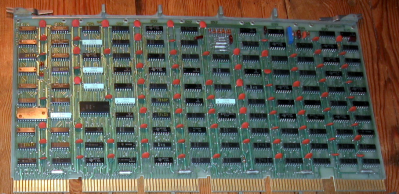
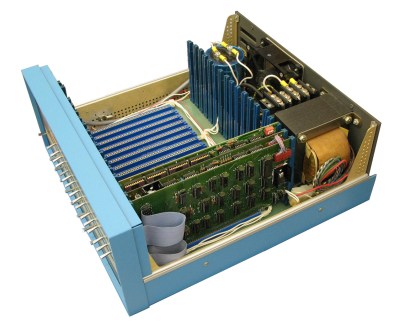
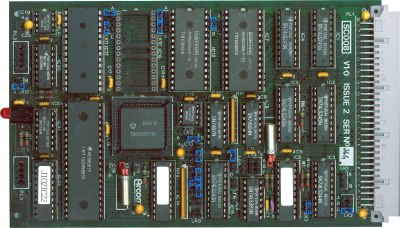
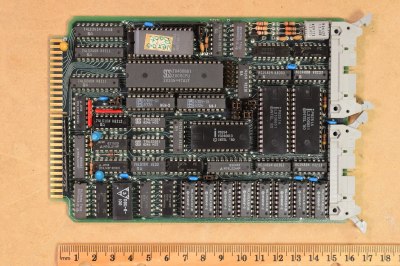
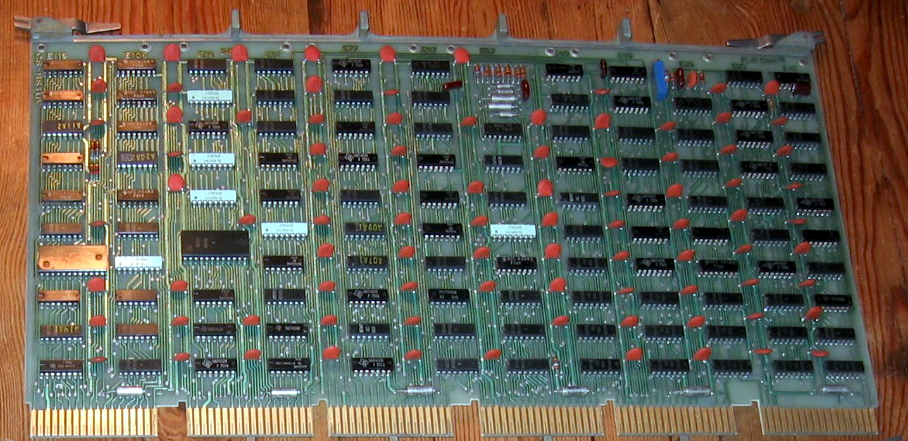
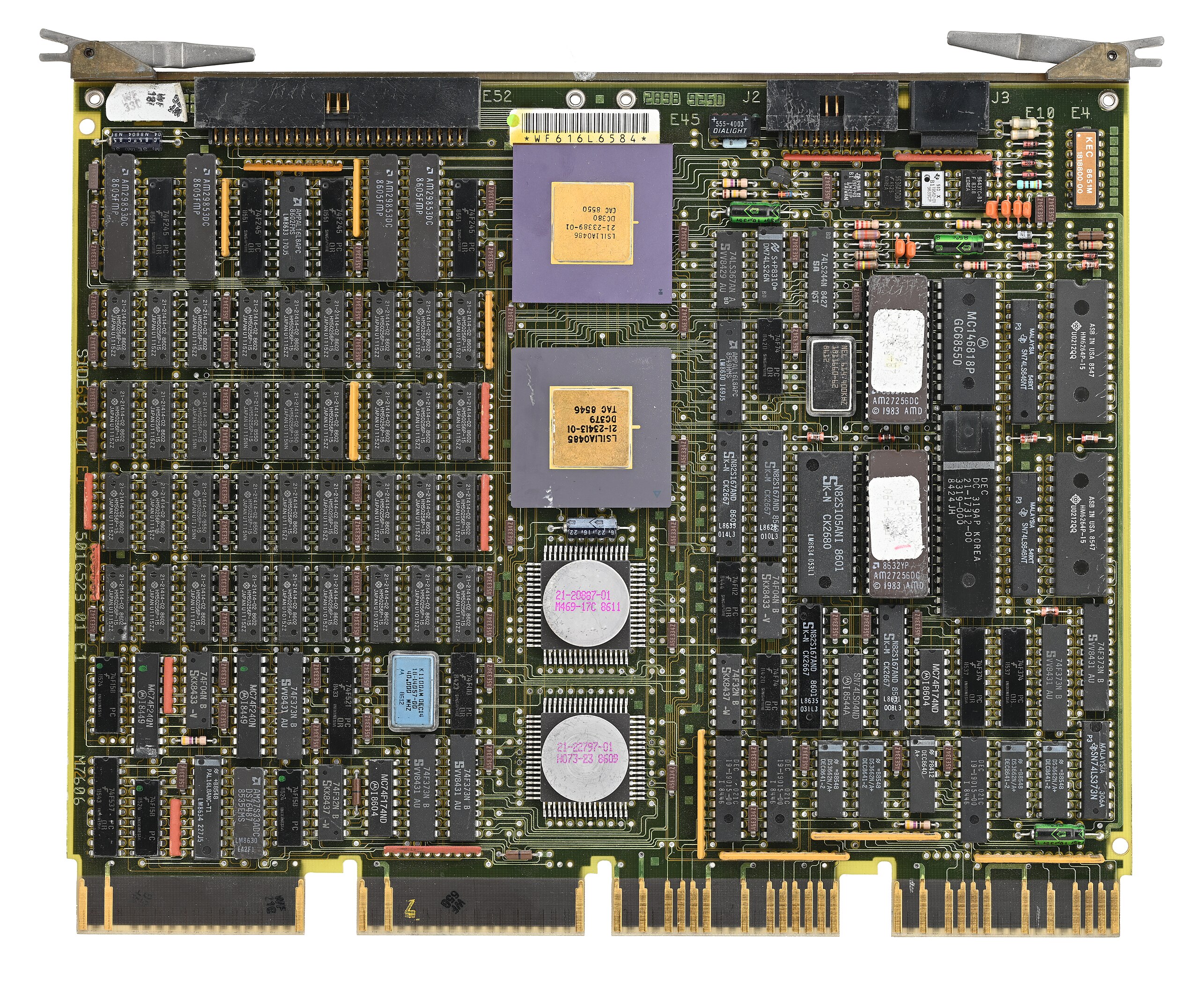
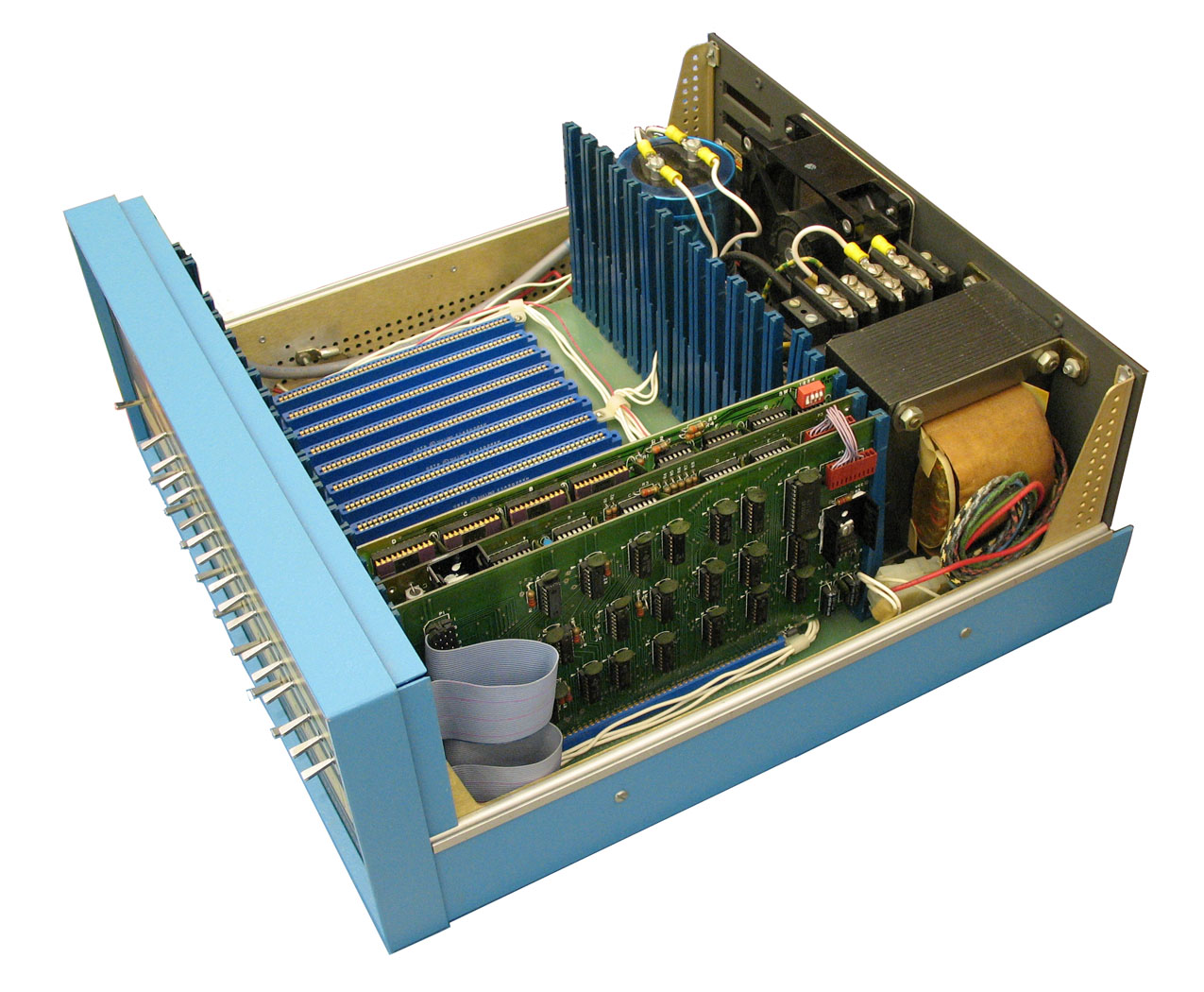
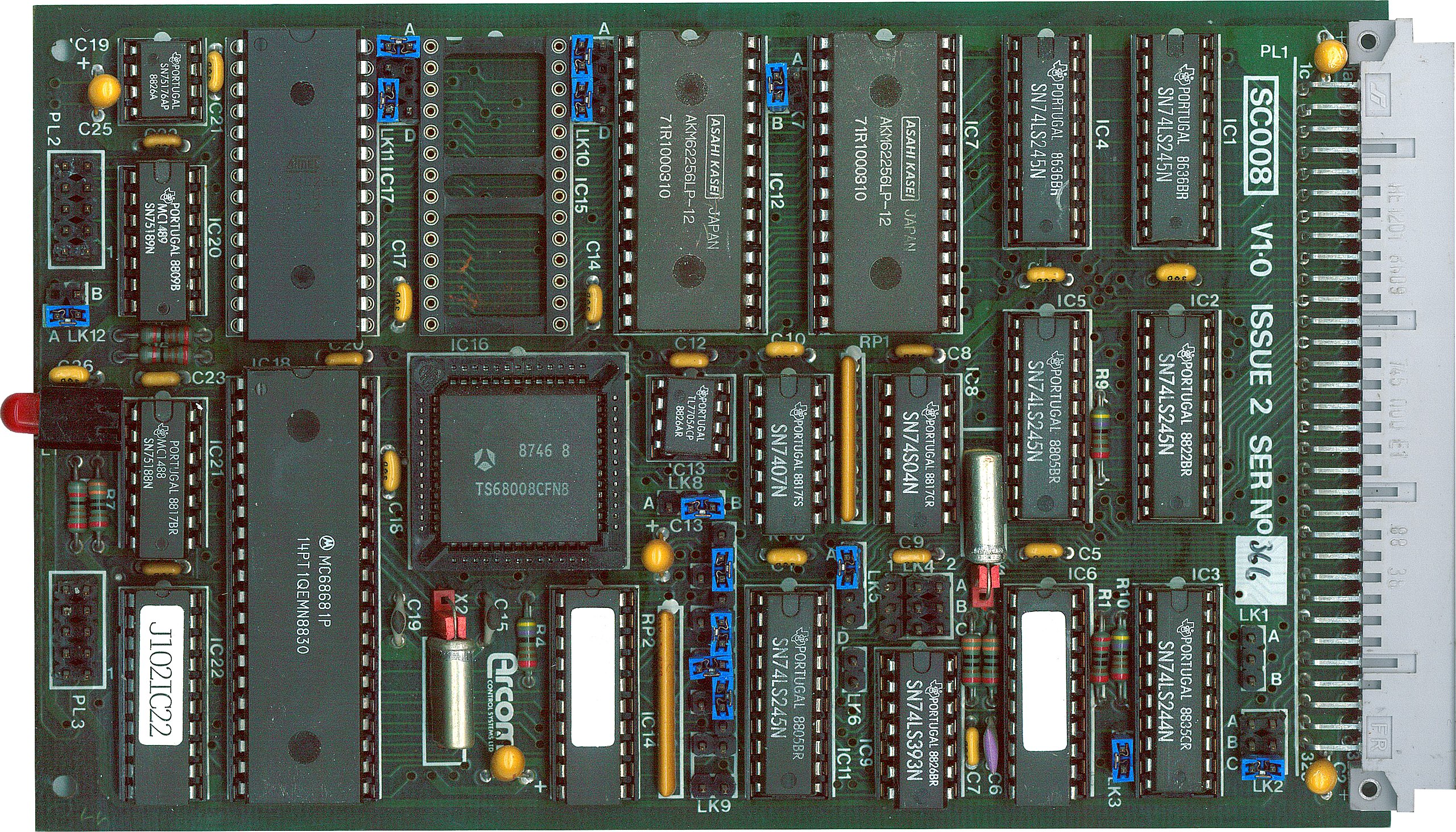
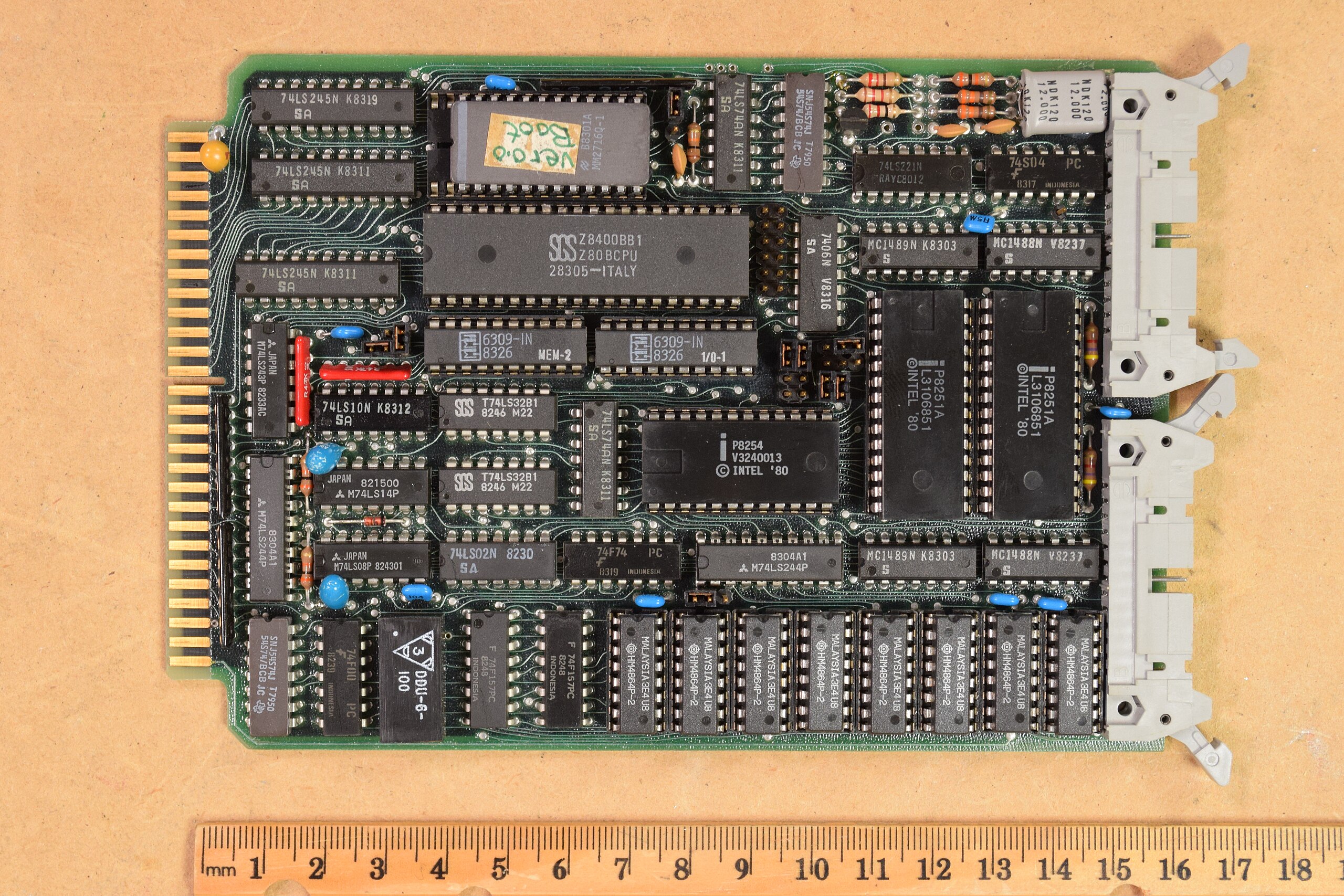
Catching those Old Busses The PC has had its fair share of bus slots. What started with the ISA bus has culminated, so far, in PCI Express slots, M.2 slots, and a few other mechanisms to connect devices to your computer internally. But if the 8-bit ISA card is the first bus you can remember, you are missing out. There were practically as many bus slots in computers as there were computers. Perhaps the most famous bus in early home computers was the Altair 8800’s bus, retroactively termed the S-100 bus, but that wasn’t the oldest standard. There are more buses than we can cover in a single post, but to narrow it down, we’ll assume a bus is a standard that allows uniform cards to plug into the system in some meaningful way. A typical bus will provide power and access to the computer’s data bus, or at least to its I/O system. Some bus connectors also allow access to the computer’s memory. In a way, the term is overloaded. Not all buses are created equal. Since we are talking about old bus connectors, we’ll exclude new-fangled high speed serial buses, for the most part. Tradeoffs There are several trade-offs to consider when designing a bus. For example, it is tempting to provide regulated power via the bus connector. However, that also may limit the amount of power-hungry electronics you can put on a card and — even worse — on all the cards at one time. That’s why the S-100 bus, for example, provided unregulated power and expected each card to regulate it. On the other hand, later buses, such as VME, will typically have regulated power supplies available. Switching power supplies were a big driver of this. Providing, for example, 100 W of 5 V power using a linear power supply was a headache and wasteful. With a switching power supply, you can easily and efficiently deliver regulated power on demand. Some bus standards provide access to just the CPU’s I/O space. Others allow adding memory, and, of course, some processors only allow memory-mapped I/O. Depending on the CPU and the complexity of the bus, cards may be able to interrupt the processor or engage in direct memory access independent of the CPU. In addition to power, there are several things that tend to differentiate traditional parallel buses. Of course, power is one of them, as well as the number of bits available for data or addresses. Many bus structures are synchronous. They operate at a fixed speed, and in general, devices need to keep up. This is simple, but it can impose tight requirements on devices. Tight timing requirements constrain the length of bus wires. Slow devices may need to insert wait states to slow the bus, which, of course, slows it for everyone. An asynchronous bus, on the other hand, works transactionally. A transaction sends data and waits until it is acknowledged. This is good for long wires and devices with mixed speed capability, but it may also require additional complexity. Some buses are relatively dumb — little more than wires hanging off the processor through some drivers. Then how can many devices share these wires? Open-collector logic is simple and clever, but not very good at higher speeds. Tri-state drivers are a common solution, although the fanout limitations of the drivers can limit how many devices you can connect to the bus. If you look at any modern bus, you’ll see these limitations have driven things to serial solutions, usually with differential signaling and sophisticated arbitration built into the bus. But that’s not our topic today. Unibus A Unibus card (public domain) A common early bus was the Digital Equipment Corporation Unibus. In 1969, you needed a lot of board space to implement nearly anything, so Unibus cards were big. PDP-11 computers and some early VAX machines used Unibus as both the system bus for memory and I/O operations. Unibus was asynchronous, so devices could go as fast as they could or as slow as they needed. There were two 36-pin edge connectors with 56 pins of signals and 16 pins for power and ground. Unibus was advanced for its time. Many of the pins had pull-up resistors on the bus so that multiple cards could assert them by pulling them to ground. For example, INTR, the interrupt request line, would normally be high, with no cards asserting an interrupt. If any board pulls the line low, the processor will service the interrupt, subject to priority resolution that Unibus supported via bus requests and grants. The grants daisy-chained from card to card. This means that empty slots required a “grant continuity card” that connected the grant lines to prevent breaking the daisy chain. Q-Bus CPU card (CC BY-SA 4.0 by [Phiarc])The bus also had power quality lines that could inform devices when AC or DC power was low. High-performance computers might have “Fastbus,” which was two Unibuses connected but optimized to increase bandwidth. Because the boards were large, Digital would eventually adopt Q-Bus, or the LSI-11 bus. This was very similar to Unibus, but it multiplexed data and address lines, allowing boards to be smaller and cheaper to produce. Fewer wires also meant simplified backplanes and wiring, reducing costs. Eventually, the Digital machines acquired Massbus for connecting to specific disk and tape drives. It was also an asynchronous bus, but only for data. It carried 18 bits plus a parity bit. Boards like the RH11 would connect Massbus devices to the Unibus. There would be other Digital Equipment buses like TURBOChannel. Other computer makers, of course, had their own ideas. Sun had MBus and HP 3000 and 9000 computers, which used the HP Precision Bus and HP GSC. But the real action for people like us was with the small computers. S-100 and Other Micros It is easy to see that when the designers defined the Altair 8800 bus, they didn’t expect it to be a standard. There was simply a 100-pin connector that accepted cards 10 inches long by 5 inches tall. The bus was just barely more than the Intel 8080 pins brought out, along with some power. At first, the bus split the databus into an input and output bus. However, later cards used a bidirectional bus to allow for more grounds on the now unused bus bits to help reduce noise. Through the late 1970s and early 1980s, the S-100 market was robust. Most CP/M machines using an 8080 or Z-80 had S-100 bus slots. In fact, it was popular enough that it gave birth to a real standard: IEEE 696. However, by 1994, the IBM PC had made the S-100 bus a relic, and the IEEE retired the standard. Of course, the PC bus would go on to be dominant on x86 machines for a while; other systems had other buses. The SS-50 was sort of the S-100 for 6800 computers. The 68000 computers often used VMEbus, which was closely tied to the asynchronous bus of that CPU. Embedded Systems While things like S-100 were great for desktop systems, they were generally big and expensive. That led to competitors for small system use. Eurocard was a popular mechanical standard that could handle up to 96 signals. The DIN 41612 connectors had 32 pins per row, with two or three rows. Eurocard CPU (CC BY-SA 4.0 by [SpareHeadOne])A proper Eurocard could handle batteries and had strict rules about signal fanout and input levels. Unfortunately, it wasn’t really a bus because it didn’t define all the pin assignments, so cards made by one vendor didn’t always work with cards from another vendor. The N8VEM homebrew computer (see the video below) used Eurocards. VME used a 3-row Eurocard connector, as well. youtube.com/embed/wjf0k0vNxrQ?… STD Bus card (CC-BY 4.0 by [AkBkukU])Another popular small system bus was the STD Bus popularized by companies like Mostek. These were small 6.5″ x 4.5″ cards with a 56-pin connector. At one time, more than 100 companies produced these cards. You can still find a few of them around, and the boards show up regularly on the surplus market. You can see more about the history of these common cards and their bus in the video below. youtube.com/embed/HaqWV9qY5fs?… Catching the Bus We don’t deal much with these kinds of buses in modern equipment. Modern busses tend to be high-speed serial and sophisticated. Besides, a hobby-level embedded system now probably uses a system-on-a-chip or, at least, a single board computer, with little need for an actual bus other than, perhaps, SPI, I2C, or USB for I/O expansion. Of course, modern bus standards are the winners of wars with other standards. You can still get new S-100 boards. Sort of. hackaday.com/2025/12/17/catchi…
Dicembre ti sta friggendo il cervello? La soluzione è la disintossicazione digitale! E’ arrivato! E’ dicembre che arriva sempre con quel carico di bilanci che pesano sulla schiena. Ma ormai il bilancio non si fa più solo tra sé e sé. C’è questo strano fenomeno del sovraccarico, una specie di rumore di fondo che diventa insopportabile proprio quando dovremmo rallentare. I social ad esempio, si riempiono di gente che urla i propri successi dell’anno e le chat di lavoro esplodono perché bisogna chiudere tutto, subito, prima che scatti il primo gennaio, come se poi il mondo finisse davvero. In mezzo a questo caos, gli algoritmi dei negozi non ti lasciano respirare. Ti inseguono con sconti che sembrano occasioni imperdibili, che rasentano lo scam di massa, e intanto senti la pressione di dover scattare la foto perfetta per Instagram. E poi intorno al 24, si finisce a passare le ore a fare copia e incolla di un unico messaggio di auguri (con tanto di immagine) da inviare a tutti gli “amici” su WhatsApp, perdendo di vista quello che sta succedendo davvero nella nostra stanza. Il bisogno di staccare la spina “Stacca, Stacca, Staccami la spina” cantava Jovanotti (Lorenzo Cherubini) moltissimi anni fa. Ma molti (e non nascondetelo) se ne accorgono così, quasi per caso, di quanto sono diventati schiavi di quel rettangolo luminoso. Uno tira fuori il telefono per guardare che tempo fa o se sono già le otto, e trenta minuti dopo è ancora lì che scorre notizie o reals a caso, senza un motivo preciso. Capita pure durante le cene: il cibo arriva in tavola e invece di mangiarlo lo si fotografa da ogni angolazione, interrompendo tutto il ritmo della serata. Le famiglie si ritrovano sedute allo stesso tavolo ma vivono vite parallele. Ognuno fissa il suo schermo, immerso in una bolla digitale che rende la presenza fisica una specie di accessorio opzionale. È un modo di stare insieme che non è stare insieme, ed è in questo momento di massima frizione che la voglia di una disintossicazione digitale inizia a farsi strada nella testa della gente. La fatica di elaborare troppi dati I ricercatori hanno pure dato un nome a questa sensazione di pesantezza:burnout digitale. È una stanchezza cronica che viene dal mangiare troppe informazioni, un’indigestione di dati che il cervello umano non è proprio fatto per gestire. Siamo bombardati. Ogni notifica che arriva attiva il sistema dello stress e ci tiene in uno stato di allerta perenne, manco fossimo nella giungla a scappare dai predatori, e invece stiamo solo leggendo una mail. Il problema grosso è che la nostra capacità di concentrarci profondamente sta andando a farsi benedire. Passiamo da un’app all’altra, da una scheda del browser a un’altra, e il cervello poveretto non riesce a starti dietro. Esiste questa cosa chiamata attenzione residua: un pezzo di te resta incastrato nel compito di prima, così quello che stai facendo adesso lo fai peggio. È un’efficienza che cola a picco, un po’ come cercare di correre nel fango. Chimica del sonno e giornate corte A dicembre questa stanchezza accumulata per dodici mesi arriva a un punto di rottura. La gente diventa irritabile (e ci credo), fa fatica a prendere sonno e non combina più niente di buono al lavoro. C’è anche una questione tecnica, legata alla luce blu degli schermi che blocca la melatonina. In inverno, con le giornate che durano un attimo e la luce naturale che scarseggia, questa interferenza con l’ormone del sonno è una mazzata per l’organismo. Il fatto è che dicembre non è un mese come gli altri, ha questo peso simbolico di chiusura del cerchio. È il momento in cui ci si guarda indietro e si pensa che forse si potrebbe vivere diversamente, anche se questa “consapevolezza”, capita molte poche volte all’anno. Se per tutto l’anno hai rimandato il pensiero di cambiare abitudini, l’arrivo dell’anno nuovo ti dà quella spinta di “ultima occasione” per rimetterti in sesto. Preparare il terreno per il nuovo anno Fare un detox digitale prima di Capodanno viene visto un po’ come un rito di purificazione. Come quando si fanno le pulizie di primavera in casa, solo che qui si pulisce lo spazio mentale. È l’opportunità per smettere di agire come robot, di rendersi conto di quanto tempo si butta via a guardare il nulla e provare a riprendersi le redini della propria attenzione. Non è che bisogna buttare il telefono nel cassonetto, eh. Si tratta di ritrovare un equilibrio che abbia un senso. Qualcuno stabilisce dei coprifuoco digitali, tipo che un’ora prima di dormire o durante i pasti i telefoni spariscono dalla vista. Altri cancellano le app che creano più dipendenza o decidono che un giorno a settimana i social non esistono proprio. Piccole strategie di sopravvivenza C’è chi prova a tornare all’analogico, che sembra quasi un concetto vintage. Un libro di carta invece dell’e-book, o un gioco da tavolo invece di rincitrullirsi davanti ai videogiochi. Una cosa che aiuta molto, dicono, è farsi una domanda banale prima di sbloccare lo schermo: “Perché sto prendendo in mano il telefono?”. Spesso la risposta è “per noia”, e già rendersene conto è un passo avanti. Alla fine, il punto non è odiare la tecnologia, ma smettere di farsi usare da lei. Il vero vantaggio di tutto questo staccare è che si torna a essere presenti, a stare nel momento mentre le cose succedono. Dicembre è pieno di momenti che meriterebbero di essere vissuti davvero, tra cene e parenti, e riscoprire la gioia di parlarsi dal vivo senza notifiche che vibrano in tasca non è poi così male. Io questo anno stacco veramente la spina per riaccenderla ad inizio gennaio. E voi? L'articolo Dicembre ti sta friggendo il cervello? La soluzione è la disintossicazione digitale! proviene da Red Hot Cyber.