@MacRumors
 Apple today released a new update for Safari Technology Preview, the experimental browser that was first introduced in March 2016. Apple designedSafari Technology Previewto allow users to test features that are planned for future release versions of the Safari browser.Safari Technology Preview234 includes fixes and updates for Animations, CSS, HTML, JavaScript, MathML, Media, SVG, Web API, Web Authentication, Web Inspector, and WebRTC. The currentSafari Technology Previewrelease is compatible with machines running macOS Sequoia and macOS Tahoe, the newest version of macOS. TheSafari Technology Previewupdate is available through the Software Update mechanism in System Preferences or System Settings to anyone who has downloaded the browser from Apple’s website. Complete release notes for the update are available on the Safari Technology Preview website. Apple’s aim withSafari Technology Previewis to gather feedback from developers and users on its browser development process.Safari Technology Previewcan run side-by-side with the existing Safari browser and while it is designed for developers, it does not require a developer account to download and use.Tag: Safari Technology PreviewThis article, "Apple Releases Safari Technology Preview 234 With Bug Fixes and Performance Improvements" first appeared on MacRumors.comDiscuss this article in our forums
Apple today released a new update for Safari Technology Preview, the experimental browser that was first introduced in March 2016. Apple designedSafari Technology Previewto allow users to test features that are planned for future release versions of the Safari browser.Safari Technology Preview234 includes fixes and updates for Animations, CSS, HTML, JavaScript, MathML, Media, SVG, Web API, Web Authentication, Web Inspector, and WebRTC. The currentSafari Technology Previewrelease is compatible with machines running macOS Sequoia and macOS Tahoe, the newest version of macOS. TheSafari Technology Previewupdate is available through the Software Update mechanism in System Preferences or System Settings to anyone who has downloaded the browser from Apple’s website. Complete release notes for the update are available on the Safari Technology Preview website. Apple’s aim withSafari Technology Previewis to gather feedback from developers and users on its browser development process.Safari Technology Previewcan run side-by-side with the existing Safari browser and while it is designed for developers, it does not require a developer account to download and use.Tag: Safari Technology PreviewThis article, "Apple Releases Safari Technology Preview 234 With Bug Fixes and Performance Improvements" first appeared on MacRumors.comDiscuss this article in our forums
MacRumors
Apple Releases Safari Technology Preview 234 With Bug Fixes and Performance Improvements
Apple today released a new update for Safari Technology Preview, the experimental browser that was first introduced in March 2016. Apple designed S...
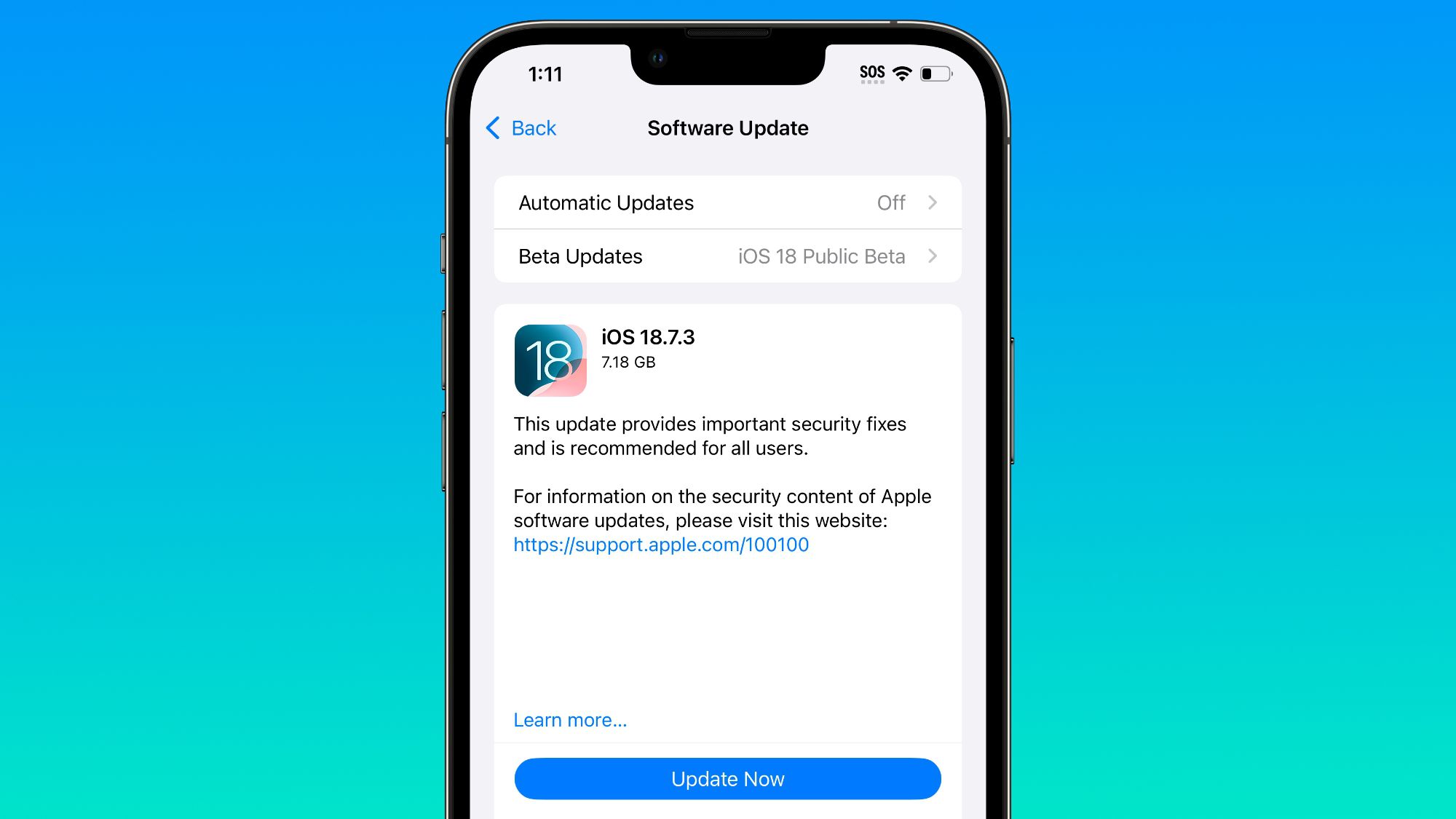
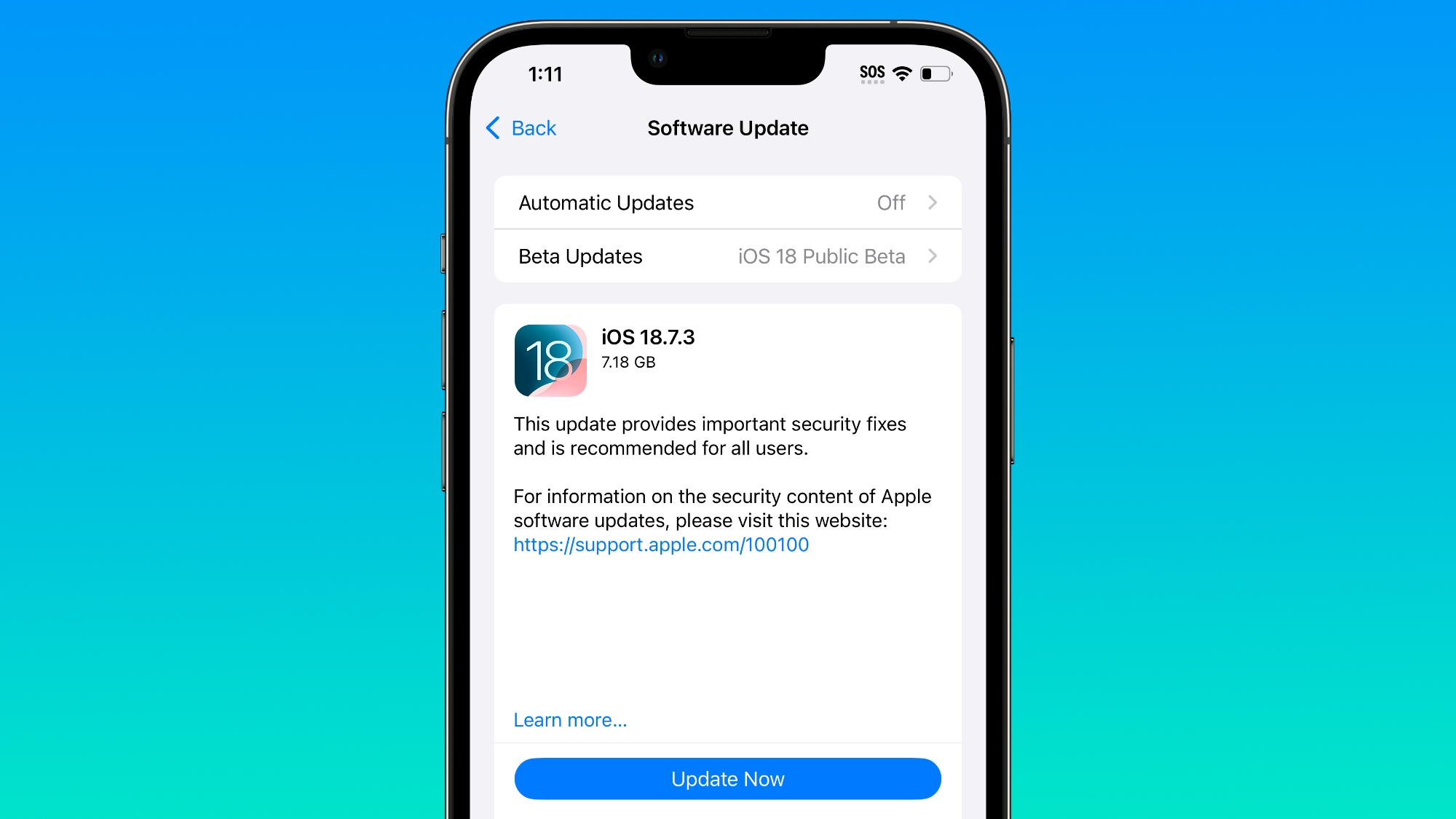 Since the beginning of December, Apple has been pushing iPhone users who opted to stay on iOS 18 to install iOS 26 instead. Apple started by making the iOS 18 upgrades less visible, and has now transitioned to making new iOS 18 updates unavailable on any device capable of runningiOS 26. If you have aniPhone11 or later, Apple is no longer offering new versions of iOS 18, even though there was a security update that came out alongside iOS 26.2. Apple stopped showing new iOS 18 updates when iOS 26.2 launched, forcing iOS 18 users to upgrade to iOS 26.2 if they want to keep their devices secure. For now, there's a way to stay on iOS 18 and continue to get security updates. On a device running iOS 18, you can turn on iOS 18 public beta updates to force new versions of iOS 18 to show up. This may not remain an option for long, but it works at the current time. Apple's move to push users toiOS 26is timed with a long list of security updates introduced in iOS 26.2 and iOS 18.7.3, including a WebKit vulnerability known to be actively exploited. Both updates addressed the problem, so there is no technical need for the iOS 26.2 requirement. Jason Snell wrote an article yesterday on Apple's decision not to offer iOS 18 users further iOS 18 upgrades and speculated that it might be a bug or an error, but the reality is that Apple does this every year. The iOS 14 to iOS 15 transition in 2021 was the first time that Apple allowed users to remain on an older version of iOS. At the time, Apple said that iOS offered "a choice between two software update versions." Users would be able to update to iOS 15 at release, or opt to continue on iOS 14 and "still get important security updates." As promised, Apple did allow users to stay on iOS 14 and avoid the iOS 15 update, but only temporarily. Apple started pushing people to iOS 15 in January 2022 by making the iOS 15 software update option more prominent and no longer offering iOS 14 security updates for devices capable of running iOS 15. In fact, iOS 14 updates stopped being available when Apple launched iOS 15.2, which might sound familiar because it is the exact same path that it followed with the iOS 18 toiOS 26transition. Apple did the same thing with the iOS 16 to iOS 17 transition, and the iOS 17 to iOS 18 transition. For a clear answer why iOS 18 security updates are no longer available on devices capable of runningiOS 26, we can look to what Apple had to say in 2022 after people complained about being forced to upgrade to iOS 15. According to Apple, the option for users to stay on iOS 14 and avoid iOS 15 was always meant to be temporary. Apple provided a grace period for people to remain on iOS 14 while iOS 15 bugs were worked out, but Apple ultimately wanted users on the latest version of iOS. In a support document published in 2021, Apple clarified that users would be able to stay on the old version of iOS "for a period of time," but not forever. If you're using iOS or iPadOS 14.5 or later, you might now see the option to choose between two software update versions. This option allows you to choose between updating to the latest version of iOS or iPadOS 15 as soon as it's released, or continuing on iOS or iPadOS 14 while still getting important security updates for a period of time. Apple has continued with the same update policy since iOS 15, but the company's move to wean users off of iOS 18 is more visible this year due to the design changes introduced withiOS 26. Liquid Glass is a major user interface overhaul that's polarizing, and some users are unsurprisingly reluctant to update for that reason.This article, "Don't Want to Upgrade to iOS 26? Here's How to Stay on iOS 18 (For Now)" first appeared on MacRumors.comDiscuss this article in our forums
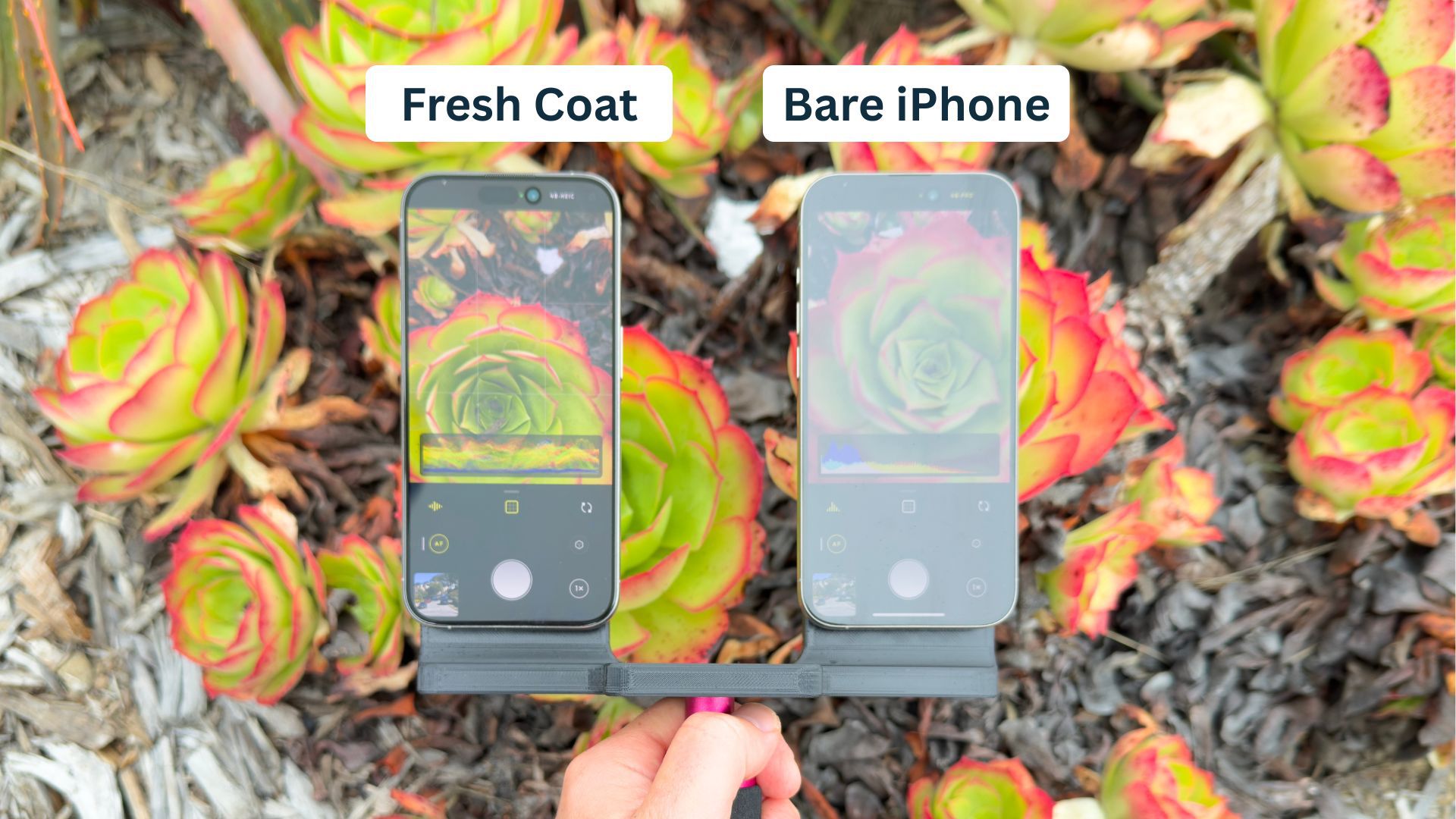
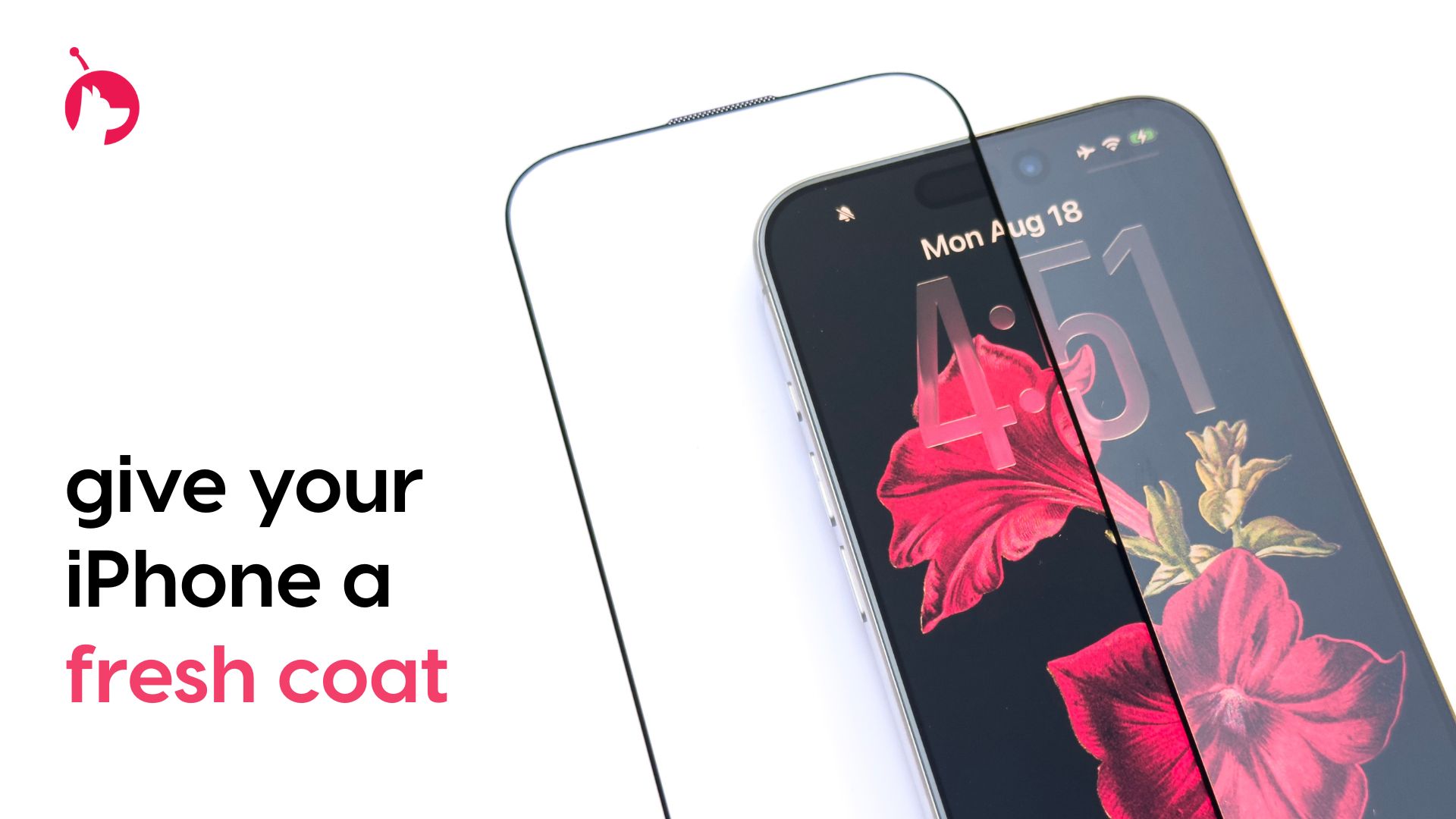 For this week's giveaway, we've teamed up with Astropad to offer MacRumors readers a chance to win an iPhone 17 and one of Astropad's Fresh Coat anti-reflective screen protectors to go along with it. Fresh Coat is a new kind of screen protector that Astropad designed with an optical-grade anti-reflective coating to reduce glare and provide a more pleasant iPhone viewing experience. The technology that Astropad is using cuts reflections by 75 percent, while improving contrast and keeping colors vibrant. Unlike other anti-reflective screen protectors, there's no haze or distortion. Priced at $30, Fresh Coat is made from a scratch-proof tempered glass that also provides protection for theiPhone's display in addition to cutting down on glare and reflections. It's slim and won't add any bulk to theiPhoneeven though it has a five-layer design. From the top down, there's an anti-reflective coating, an oleophobic and hydrophobic coating, a layer of tempered glass, a dust barrier, and an impact-resistant "airbag" bonding. If you have aniPhone 17, it comes with a new anti-reflective coating added by Apple. What you might not know, though, is that you can't use just any screen protector with theiPhone 17. If you put a regular screen protector without an anti-reflective coating on, it entirely nullifies the anti-reflective properties of that added coating. Since Fresh Coat has its own anti-reflective coating, it actually improves upon Apple's included anti-reflective layer, reducing glare even further. With Fresh Coat, theiPhone's screen is easy to see in any lighting conditions, there's less eye strain, and if you use Dark Mode, it looks even darker. If you don't have aniPhone 17, Fresh Coat can provide aniPhone17-style display upgrade, mirroring Apple's own reflection-reducing display coating. Fresh Coat is available for alliPhone 17models, the iPhone 16 Pro and Pro Max, and theiPhone15 Pro and Pro Max. Astropad even designed an installation process that's impossible to mess up, so you get perfect alignment on youriPhonewithout hassle. We have aniPhone 17in white and a Fresh Coat screen protector for one lucky MacRumors reader. To enter to win, use the widget below and enter an email address. Email addresses will be used solely for contact purposes to reach the winner(s) and send the prize(s). You can earn additional entries by subscribing to our weekly newsletter, subscribing to our YouTube channel, following us on Twitter, following us on Instagram, following us on Threads, or visiting the MacRumors Facebook page. Due to the complexities of international laws regarding giveaways, only U.S. residents who are 18 years or older, UK residents who are 18 years or older, and Canadian residents who have reached the age of majority in their province or territory are eligible to enter. All federal, state, provincial, and/or local taxes, fees, and surcharges are the sole responsibility of the prize winner. To offer feedback or get more information on the giveaway restrictions, please refer to our Site Feedback section, as that is where discussion of the rules will be redirected. Astropad Giveaway The contest will run from today (December 19) at 10:00 a.m. Pacific Time through 10:00 a.m. Pacific Time on December 26. The winner will be chosen randomly on or shortly after December 26 and will be contacted by email. The winner will have 48 hours to respond and provide a shipping address before a new winner is chosen.Tag: GiveawayThis article, "MacRumors Giveaway: Win an iPhone 17 and Fresh Coat Screen Protector From Astropad" first appeared on MacRumors.comDiscuss this article in our forums
 Apple has stopped signing iOS 26.1, meaning that iPhone users can no longer downgrade to that software version. iOS 26.2 is now the minimum version that is still signed by Apple, and the first beta of iOS 26.3 is also available to developers and public beta testers. iOS 26.2 was released last week. The update adds a Liquid Glass slider for the Lock Screen's clock, offline lyrics in Apple Music, and much more.Related Roundups: iOS 26, iPadOS 26Related Forum: iOS 26This article, "You Can No Longer Downgrade to iOS 26.1" first appeared on MacRumors.comDiscuss this article in our forums
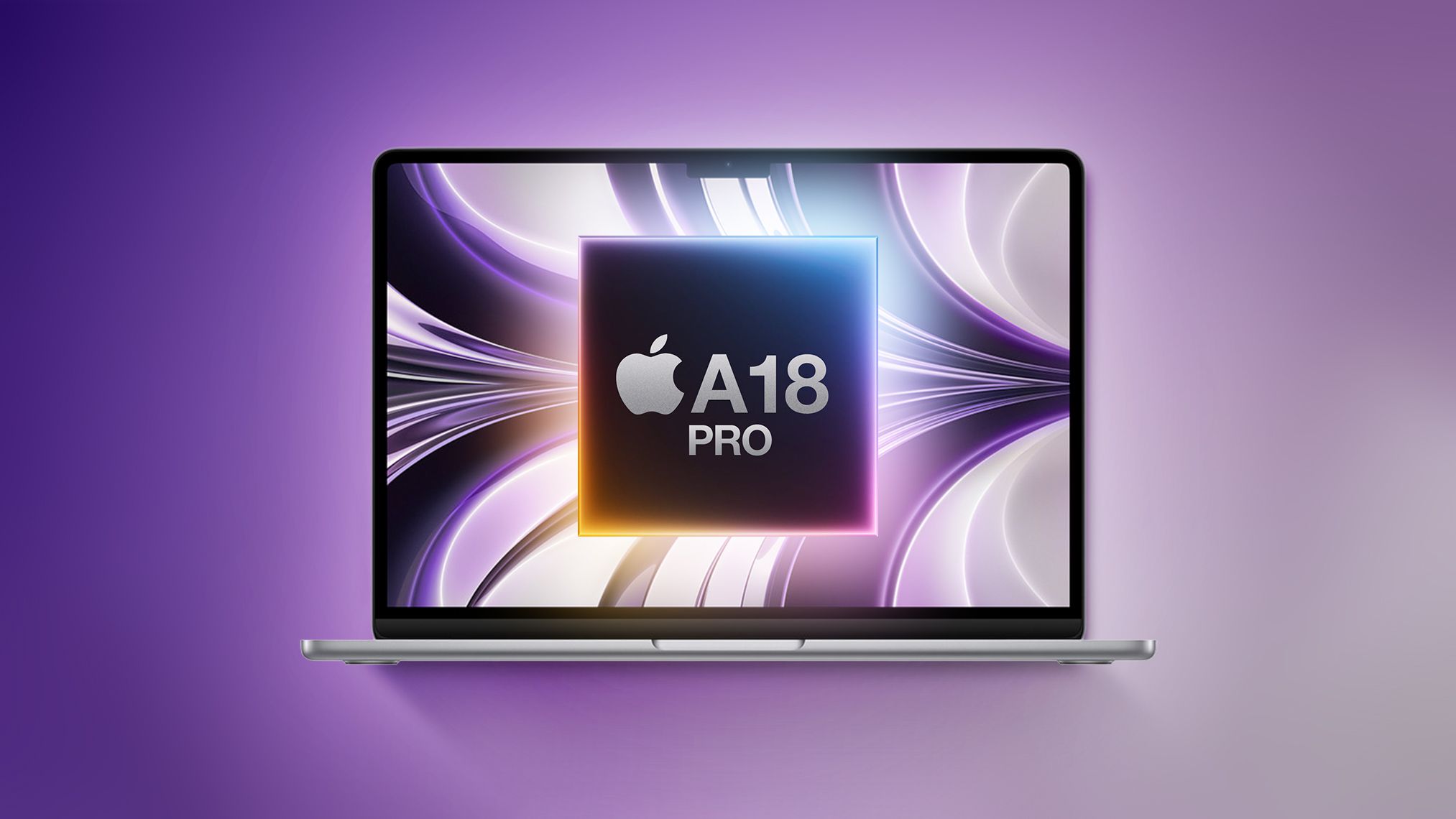
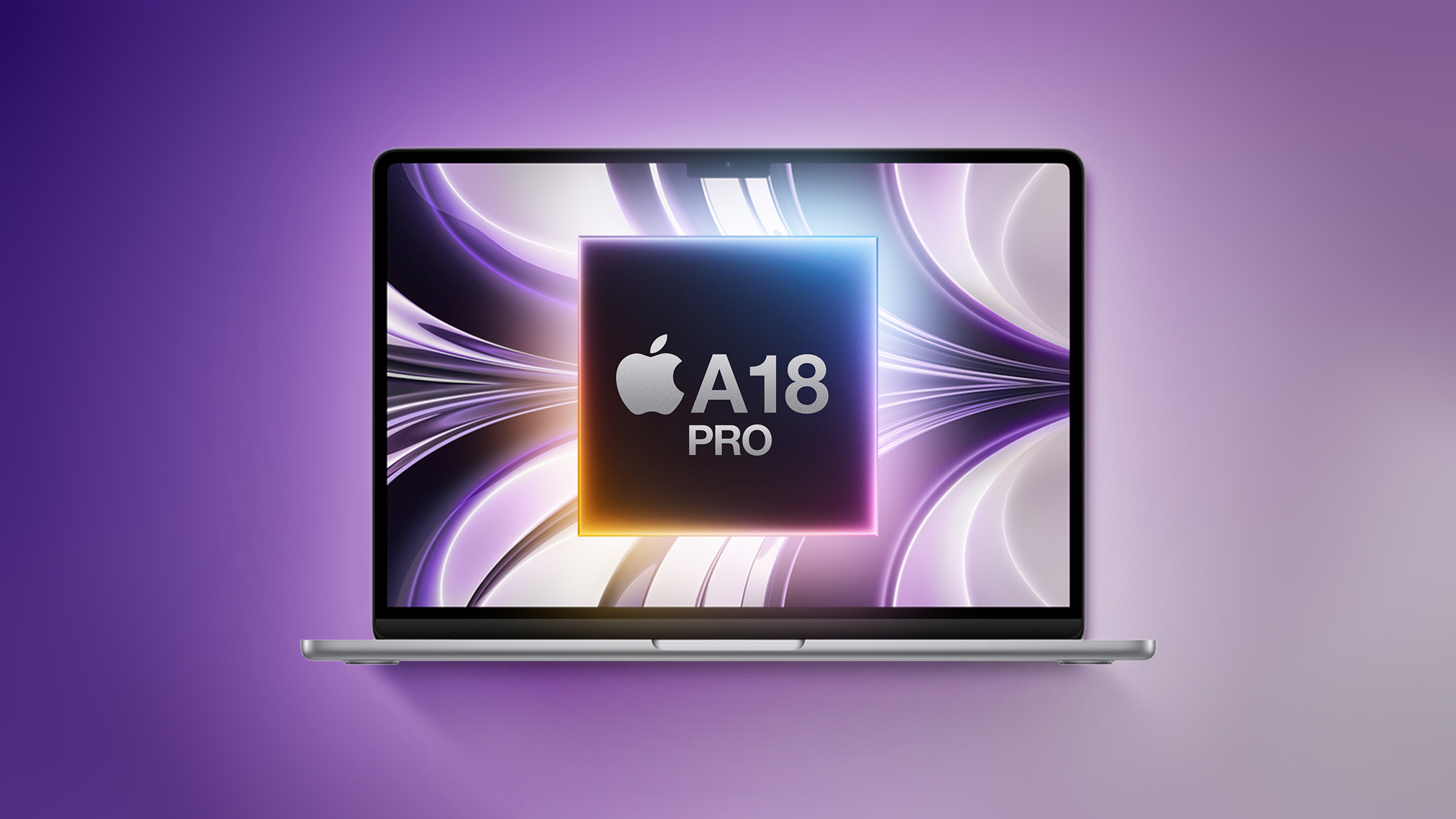 Apple is going to release a low-cost MacBook in 2026, with the device set to be more affordable than the $999 MacBook Air. With the affordable notebook, Apple is aiming to better compete with cheap Chromebooks and Windows PCs. If you're thinking about picking up a computer for lightweight tasks like document editing, web browsing, watching videos, and doing homework, you might want to wait to see what Apple has in store before making a purchase. Below, we highlight what we know about the new Mac so far. Size Apple analyst Ming-Chi Kuo believes the low-cost MacBook will have a display that's around 13 inches in size. The ‌MacBook Air‌ has a 13.6-inch display, so the more affordable MacBook could be slightly smaller. It's sounding like it won't be too far off from the 13-inch ‌MacBook Air‌, though. There are no details on how thick it might be, but Apple probably won't prioritize a thin design for a machine optimized for a low price. Since the ‌MacBook Air‌ can run fine with an M-series chip and no fan in an enclosure that's 0.44 inches thick, there's no reason for the MacBook to be any thicker than that. Design and Display The low-cost MacBook will have a standard LCD display with no mini-LED technology or ProMotion refresh rate. It could come in bright colors like the iMac, with Kuo suggesting Apple will offer it in silver, blue, pink, and yellow. A-Series Chip Apple is planning to use its A18 Pro chip in the MacBook. We first saw the A18 Pro in the iPhone 16 Pro models. The chip is built on Apple's second-generation 3-nanometer process, featuring 8GB RAM and support for Apple Intelligence. It's fast and efficient, and more than capable of handling day-to-day tasks. In Geekbench 6 benchmarks, the A18 Pro offers single-core CPU performance scores at the level of the M3 Ultra, and multi-core performance scores higher than the M1 chip that Apple used in the first Apple silicon ‌MacBook Air‌. Metal scores that measure GPU performance are also similar to the ‌M1‌ chip Metal scores. The A18 Pro will be equivalent to the ‌M1‌ for some tasks, and faster for other tasks. Apple no longer sells the ‌M1‌ ‌MacBook Air‌ from its own store, but it has offered the machine through Walmart at a $599 price point. Capabilities With the A18 Pro chip, the low-cost MacBook would be able to do anything that can be done on an ‌iPhone 16‌ Pro. It would be a suitable replacement for the low-cost iPad paired with a keyboard, and it would also support ‌Apple Intelligence‌ features. Right now, an ‌iPad‌ is essentially the only option for a low-cost portable device that can serve as a computer, but the low-cost MacBook will add a solution that runs macOS instead of iPadOS. Tasks like browsing the web, watching videos, creating documents, editing photos, and even light video editing would be no problem. A low-cost MacBook with A18 Pro chip could play all of Apple's ‌iPad‌ and iPhone games, including Apple Arcade titles, but it would not work well with high-end system intensive games. It would also run apps like Final Cut Pro, but speeds for things like exporting video would not be as quick as with a more powerful Mac. Apple probably won't go all out on ports, and the MacBook is likely to get just a single USB-C port, though two like the ‌MacBook Air‌ is also possible. The A18 Pro chip is efficient, and there's a lot of space inside a 13-inch enclosure for a battery, so we could be looking at MacBook Air-level battery life or better. The ‌MacBook Air‌'s battery lasts for up to 18 hours when watching videos, or 15 hours when browsing the web. Price There are no specific details on price as of yet, but Bloomberg claims it will cost "well under $1,000." The ‌MacBook Air‌ is priced starting at $999, so it would need to come in under that. Apple has a 13-inch iPad Air that has a display in the same range rumored for the low-cost MacBook, and it's priced at $799. The ‌iPad Air‌ has a higher-end M-series processor though, so the low-cost MacBook could be less than the ‌iPad Air‌. The closest ‌iPad‌ approximation for the chip is the iPad mini, which has an A17 Pro. The ‌iPad mini‌ is priced starting at $499. A price somewhere between $499 and $799 could make sense looking at Apple's existing product lineup. The older ‌M1‌ MacBook that sells for $599 at Walmart also gives us a hint at what Apple might charge. Launch Timing Apple could launch the low-cost MacBook in the first half of 2026. Updates are planned for the ‌MacBook Air‌ in early 2026, so the low-cost model could launch sometime in that same timeframe. Read More For more information on Apple's budget MacBook, we have a dedicated guide. This article, "Apple's Cheap MacBook: What to Expect in 2026" first appeared on MacRumors.comDiscuss this article in our forums
 This summer, Samsung plans to launch Ballie, an AI companion robot that it has been working on since 2020. Samsung showed off Ballie at CES in January 2020, demoing a robotic ball that could roll around, record video, respond to voice commands, and more. Over the years, Ballie has gotten more capable, and now Samsung is partnering with Google to add AI features. Ballie is adopting Google Cloud's generative AI technology, and Samsung says that it will be able to engage in natural, conversational interactions, providing help at home by anticipating personal needs. Ballie will be able to adjust lighting and control smart home products, greet people at the door, learn personalized schedules, set reminders, and more. In an animated video showing off Ballie, the robot is depicted finding an entertaining video for a child to watch, offering styling advice, telling a man to wear a coat because it's cold outside, and getting people off to work and school on time. Using Google's Gemini AI, Ballie will be able to interpret audio and voice, visual data from its camera, and sensor data from the environment, plus it will be able to provide recommendations to improve user health and wellbeing. Samsung has not announced pricing for Ballie, nor a specific launch date, but the company says it is coming in the summer. Customers can pre-register to order Ballie on the Samsung website.Tag: SamsungThis article, "Samsung Launching AI-Powered 'Ballie' Robot This Summer" first appeared on MacRumors.comDiscuss this article in our forums

 iOS 18.1 is the first major update to iOS 18, and it brings a slew of new features including Apple Intelligence, phone call recording, and more, plus bug fixes. This guide highlights everything that's new in iOS 18.1. Apple Intelligence iOS 18.1 includes the first Apple Intelligence features for the iPhone 15 Pro models and the iPhone 16 lineup. It will take some time for Apple to roll out all of the Apple Intelligence capabilities, but a handful are available now. Writing Tools - Writing Tools lets you proofread, summarize, and rewrite text throughout the operating system. Siri - Siri has a new look, offers Apple device product knowledge, there's a Type to Siri feature, and Siri is able to maintain contexts between requests and understand when you stumble over your words. Smart Replies - In Mail and Messages, Apple can suggest replies to incoming messages. Summaries - Apple Intelligence can summarize email messages and notifications so you can see what's important at a glance. You can also get summaries of transcriptions in the Notes app, and websites in Safari. Photos - Memory Maker lets you create custom slideshows with just a description, natural language search is supported, and there's a Clean Up feature for removing unwanted objects from images. Focus - A Reduce Interruptions Focus Mode only shows you important notifications while filtering out everything else. Phone App iOS 18.1 supports recording your phone calls and getting transcriptions from the calls. Tapping on the upper left hand record button after placing a call initiates a recording, and all participants are notified that the call is being recorded. Calls are saved to the Notes app, and the Notes app is able to generate a transcription. Camera Spatial photo capture has been added to the iPhone 15 Pro and iPhone 15 Pro Max, and it joins the existing spatial video capture feature in a new Spatial camera mode. Spatial photo capture has been an iPhone 16 feature since launch. For iPhone 16 models, Camera Control now has an option to swap over to the front-facing TrueDepth camera with press and swipe gestures. If you hold down the Camera Control button with a light press, you will also now see a bar underneath the adjustment options. AirPods Pro 2 If you have AirPods Pro 2, iOS 18.1 adds a new set of Hearing Health features. You can do a built-in hearing test, identifying tones to check for hearing loss. Should hearing loss be detected, there is an option to use the AirPods Pro 2 as a hearing aid to boost conversations and other sounds around you. Apple also has an option to tweak music, videos, and calls based on your hearing test (if loss is detected), and there is a hearing protection feature for all users that minimizes exposure to loud environmental noises across all listening modes. Control Center There are new connectivity controls in Control Center for Satellite and AirDrop, allowing these buttons to be added to Control Center individually. Previously, the toggles were only available in the all-in-one connectivity control. Apple has also added new Measure and Level controls to the Control Center. Measure opens up the Measure app, while Level opens up the Measure app to the included Level feature. Apple Music Apple Music now has an option to share Apple Music songs directly on TikTok. To do so, tap on Share Song and then choose TikTok from the list of apps. RCS Business Messaging You can text with businesses that use Apple's Business Messaging feature over RCS. Wallet App In the Wallet app, if you have an Apple Card and your Daily Cash goes to a savings account, you'll no longer see the savings account balance on the main Apple Card screen. Instead, you can tap on the savings button to get your current account balance. App Store App Store search now supports natural language to make it easier to find exactly what you're looking for. Game Center You can send Game Center friend invites directly from the Contacts app and Friends Suggestions, with receivers able to see the invites in their inbox in Settings. Bug Fixes There are several bug fixes in iOS 18.1. Unplayed Podcasts episodes will no longer be marked as played. Videos recorded at 4K 60 fps and viewed in the Photos app will no longer stutter when scrubbing through the video. A bug that could cause digital car keys not to start or unlock a vehicle with passive unlocking after restoring from a backup or transferring from another iPhone has been fixed. iPhone 16 and iPhone 16 models should no longer unexpectedly restart. Security Updates iOS 18.1 addresses over 20 security vulnerabilities, which means it's a good idea to update as soon as you can. A full list of the vulnerabilities fixed can be found on Apple's website, but it includes updates for image processing, Safari downloads, Safari private browsing, Shortcuts, Siri and Spotlight. Read More For more detail on the Apple Intelligence features in iOS 18.1, we have a dedicated guide. Our iOS 18 roundup has a list of all of the features in the iOS 18 update.Related Roundups: iOS 18, iPadOS 18Related Forums: iOS 18, iPadOS 18This article, "iOS 18.1 Features: Everything New in iOS 18.1" first appeared on MacRumors.comDiscuss this article in our forums