Toyed around with Gemini's advanced photo mode, seems to do pretty good with replacement and generative fill.
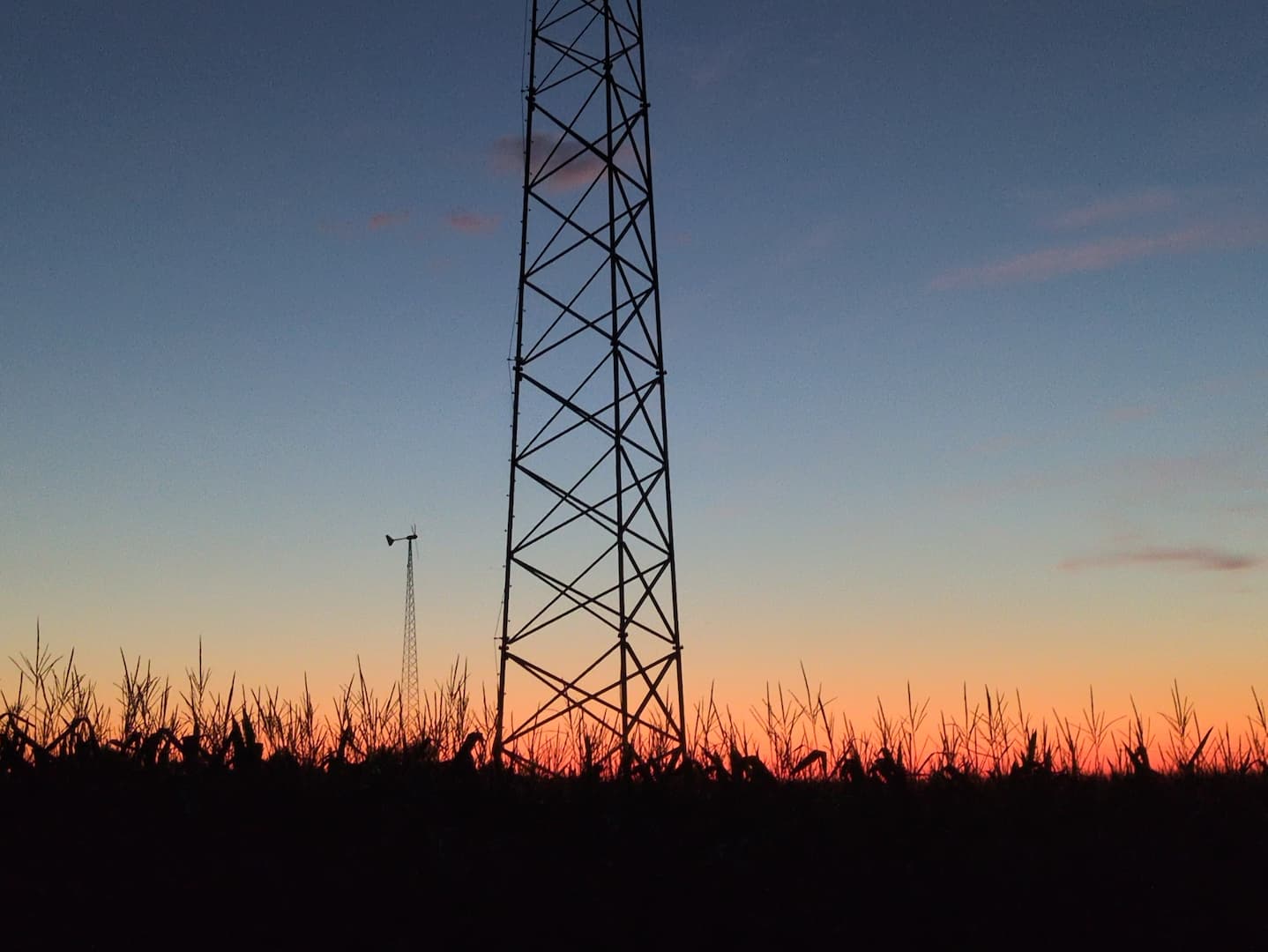
Combined two of my photos:

 Into the following:
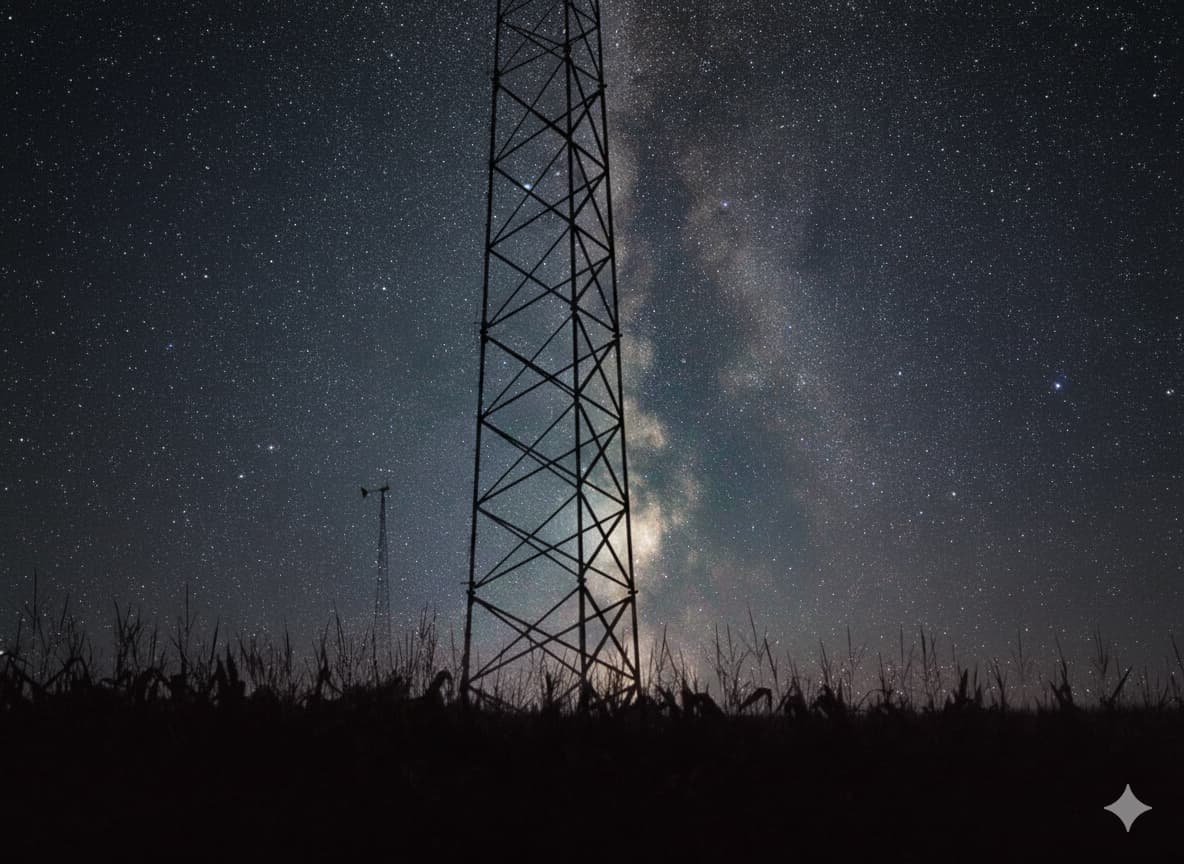 Seems to have worked real well. A bit low resolution, but still pretty good (the input images I uploaded have been heavily compressed, their originals were higher res).
However, it doesn't seem to like to do basic edits. I gave it the unedited original (at least the JPEG, it won't touch RAWs) of the milky way version and told it to do similar edits I did to the one I shared (dehaze, saturation, contrast) - and instead of editing it is just replaced the milky way portion with an AI generated image of the milky way that was fairly similar but obviously a new image.
#photography #ai
Seems to have worked real well. A bit low resolution, but still pretty good (the input images I uploaded have been heavily compressed, their originals were higher res).
However, it doesn't seem to like to do basic edits. I gave it the unedited original (at least the JPEG, it won't touch RAWs) of the milky way version and told it to do similar edits I did to the one I shared (dehaze, saturation, contrast) - and instead of editing it is just replaced the milky way portion with an AI generated image of the milky way that was fairly similar but obviously a new image.
#photography #ai
Seems to have worked real well. A bit low resolution, but still pretty good (the input images I uploaded have been heavily compressed, their originals were higher res).
However, it doesn't seem to like to do basic edits. I gave it the unedited original (at least the JPEG, it won't touch RAWs) of the milky way version and told it to do similar edits I did to the one I shared (dehaze, saturation, contrast) - and instead of editing it is just replaced the milky way portion with an AI generated image of the milky way that was fairly similar but obviously a new image.
#photography #ai