CoMaps is a fully open source navigation app that works offline and doesn’t track users “Born out of governance concerns in Organic Maps, CoMaps has been created with a goal of restoring transparency, community control, and privacy-focused navigation. It’s a fully open source navigation app that works offline and doesn’t track users. A few weeks after the project began, CoMaps has officially launched with apps for both Android and iOS.” It will look similar to Organic Maps but some key differences (apart from the governance) are that remappable left button, and some choices to reduce display clutter. I noticed too, there is an optional (off by default) choice to use Google detected Wi-Fi hotspots for assisting in location. See https://news.itsfoss.com/comaps-launch #technology #navigation #opensource
French City of Lyon Kicks Out Microsoft “European countries have been growing increasingly wary of relying on Microsoft for critical government and public sector services. Concerns about data privacy, digital sovereignty, and potential governmental surveillance have led many to question the viability of depending on an American tech giant for sensitive infrastructure.” The point is, this is actually quite possible to do. Whether an organisation invests in its own people, or employs local companies to assist, it can be done. It is the marketing machine of Microsoft that convinces executives that Microsoft is so easy, that pays to certify installers and consultants, etc. The same can be done by governments, just like the UK government established their PRINCE project methodology, which all consultants and training companies were certified against. The same also goes for document formats. There is no reason to be stuck on .docx after so many governments committed to actually using ODF instead. Governments are not helpless, and can set standards to be complied with, and industry will conform if they want contacts. The big benefit for everyone involved is, anyone can freely download fully compliant ODF suites, and they do really work much the same as Microsoft Office does. I know this personally as I was part of a project to ready our own government to transition away from Microsoft in 2007. Yes, that never happened, but the reasons had nothing to do with the technology not working, or workers not being able to use Zimbra mail or LibreOffice. It was all politics and backroom manoeuvring around the IT staff. Such a change though does take guts and drive to implement, and the willingness of someone to stand up to the so-called “norm” of Microsoft. The world not only needs digital sovereignty, it also needs more competition and choices. Such choices do rest on having proper open standards for the formats of data being stored and processed. Vendor lock-in should be a major red flag for any government. See https://news.itsfoss.com/french-city-replaces-microsoft #technology #opensource #France #government

South Korea Brought High-Rise Fire Escape Solutions To The Masses “When a fire breaks out in a high-rise building, conventional wisdom is that stairwells are the only way out. Lifts are verboten in such scenarios, while sheer height typically prevents any other viable route of egress from tall modern buildings. If the stairs are impassable, or you can’t reach them, you’re in dire peril. In South Korea, though, there’s another option for escape. The answer involves strapping on a harness and descending down ropes hanging off the side of the building, just like in an action movie. It might sound terrifying, but these descending lifeline devices have become a common part of fire safety infrastructure across the country.” Interesting that the design works in both directions, so as one person descends, the other side is going up ready for the next person to descend. It is limited to 15 stories high, but it is real food for thought for skyscraper designers regarding better planning for evacuation of taller buildings. The fact is, things do go wrong, and what happens to the people up on 30 plus floors? Many skyscrapers also have sealed windows. It's a bit like planning for the ideal scenarios, and we hope nothing else ever happens. See #technology #escape #fire
EasiShop is a South African comparative groceries shopping service developed by an ex-student from Cape Town "A former Fish Hoek High School learner is using his tech skills to help South African families stretch their grocery budgets. Tinashe Madanire, a 26-year-old student at Stellenbosch University, along with his co-founder Tendai Katiyo, launched a price-comparison website called EasiShop earlier this year. The idea? A simple website where users can track deals, build shopping lists, and find the best prices across major retailers.” This was something I've long thought we've needed. One place to put a shopping list of grocery items together, and then have the prices compared across Pick 'n Pay, Checkers, Woolworths, etc to find where it will be cheapest to buy. It is not yet going to be perfect, as many retailers also offer reward programs, personalised discounts, and many consumers also have additional kick backs through eBucks, GreenBacks, etc as well. Ideally, you'd want to be able to tick these relevant additional discounts too, and to also have Clicks and Dis-Chem added in future. But it is a great initiative and something that is certainly needed. I hope that it is going to continue to grow, and to benefit many local consumers. See the story at or website at #technology #southafrica #groceries
I replaced my ISP router with OPNsense months ago, and I don't regret it at all OPNsense can also be fairly simple to set up if you go with the basics (like most home routers offer). But the great thing is you can also deep dive into it and setup separated VLANs and masses of tweaks and rules. What you need to know, though, is that you will need to run it on a separate piece of hardware (just like you'd have bought a router device) and ideally you'd want at least 4 Ethernet ports on it. The minimum is really two ports (a WAN port and a LAN port). My OPNsense device is a Protectli with 4 ports. One is a WAN port, and I have reserved another for a LAN port, and I have the remaining two ports connected as a LAGG interface to my main switch (so it has dual links for load balancing and redundancy). But again, you don't to do this either if you want to keep it simple. What I still want to explore with mine, is using the Haproxy plugin to do my reverse proxying directly on the OPNsense device, instead of in a container on my server. This will mean that some traffic destined for my OpenWebRx device can flow directly from the router through the main switch and to the OpenWebRx device (instead of via the server and then back through the main switch). OPNsense (and PFsense) does mean total control in your hands, and also ongoing updates and patches for many many years... See #technology #opensource #security #routers
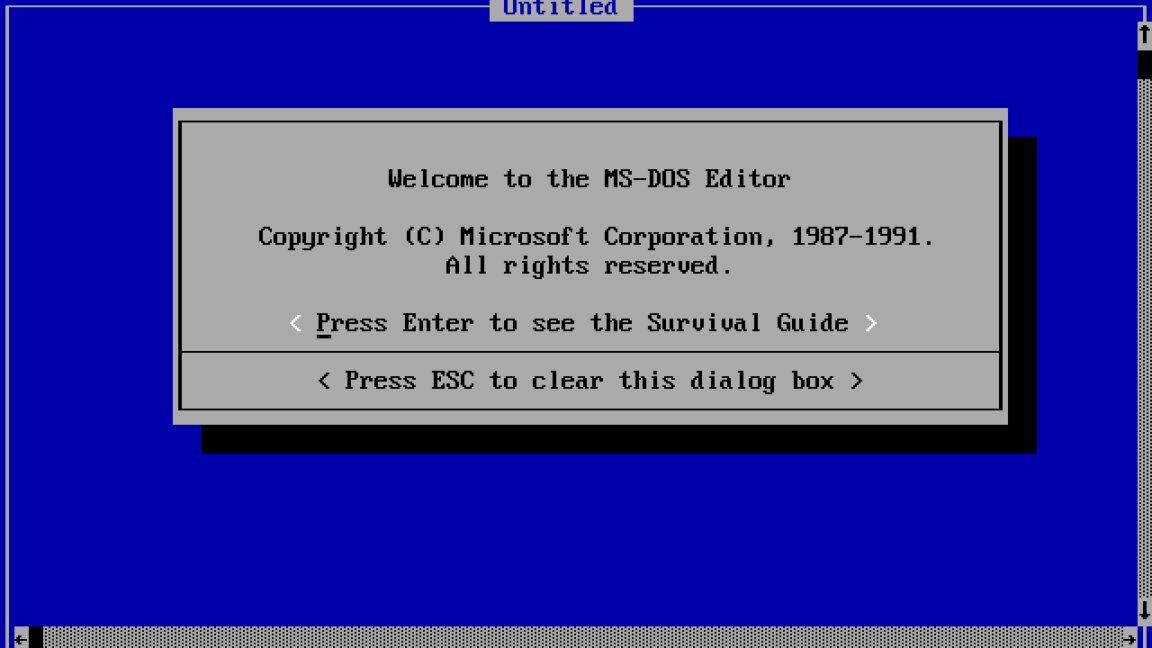
Microsoft surprises MS-DOS fans with remake of ancient text editor that works on Linux “Last month, Microsoft released a modern remake of its classic MS-DOS Editor, bringing back a piece of computing history that first appeared in MS-DOS 5.0 back in 1991. The new open source tool, built with Rust and simply called “Edit,” works on Windows, macOS, and—in a twist that would have seemed unlikely three decades ago—Linux.” Yes, not only is it open source, but it also has a Linux binary file in its release. It feels a bit like the whole world just turned upside down. The interesting part though is that text editing has not really changed that much. The features may have, but it is still plain old ASCII text, so this editor can still work fine over 30 years later. The linked article has, near the end of the article, a link to the GitHub project site, as well as for a Linux Snap package. See #technology #retro #opensource
The British VarEVolt battery fully recharges in 18 seconds — and it just got the green light for mass production I know, news about new battery breakthroughs gets quite boring, as we really don't any of them really making a difference on the ground. “The RML Group was granted Conformity of Production certification for its VarEVolt battery on June 2. This government approval signifies that the firm can mass-produce the powerful batteries for EV manufacturers.” So, maybe this one will really happen. There are two possible problems though, one being the grid/charging station capacity, and the other being at what cost. But either way, the big disadvantage for those needing a charge long the road (not those charging overnight at home) has been the charge time. First prize is always being able to top up at home (cost and convenience). See #technology #EV #environment
WUD is a better alternative to Watchtower for Docker updates What's Up Docker (WUD) will notify you of updated Docker container images for installation, just like Watchtower can do, but WUD solves a number of challenges that I have with using Watchtower: 1. Shows a custom descriptive name for images, including database images. 2. This means no time wasted checking which image must be updated. 3. Updates can be run with the click of a button inside WUD. 4. Auto prunes the old images. 5. Can work with more than one remote Docker host endpoint. 6. Numerous notification services supported. 7. Can single-click to see image's change log. 8. Can optionally auto update docker-compose file with new image version. I demonstrate a number of these features, but I did not really go through the menus, as most settings are set using the environment and label variables in the Docker files for containers (which I do show in the video). Watch #technology #opensource #docker #selfhosting
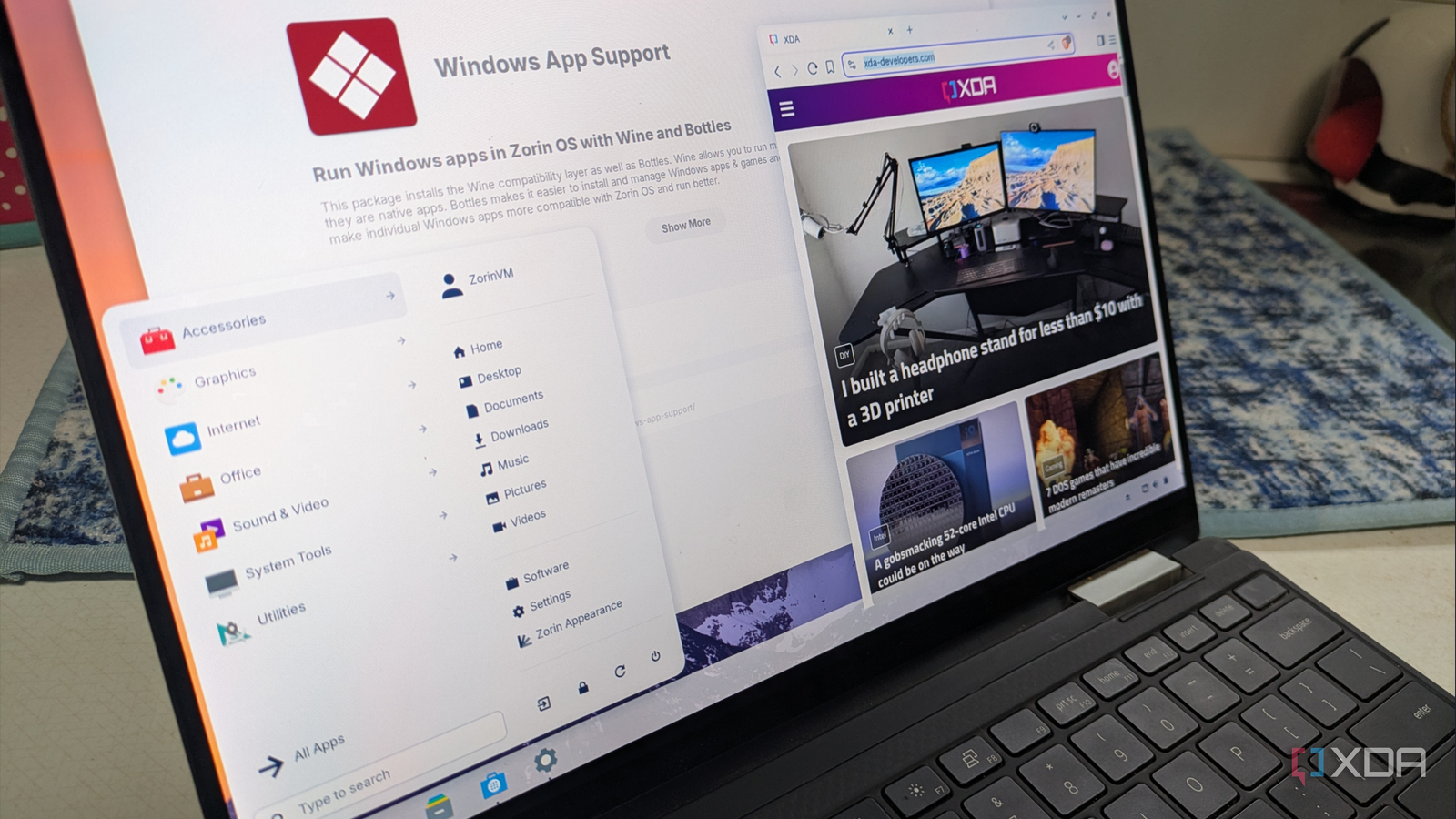
ZorinOS is a worthy consideration for Windows users newly moving to Linux The linked article is from a Windows user's perspective, moving to Linux. The timing is good as many are faced with working hardware, but which is not compatible for Windows 11. ZorinOS is an Ubuntu-based distro, meaning there are tons of support and advice on the Internet for anything that may need solving. It will also install and run most Windows software, using Wine (I seem to recall that is built in, so double-clicking on an EXE file, should just run). See #technology #Linux #opensource
OpenCloud is the lightweight Nextcloud alternative that runs on anything If you are finding that NextCloud is using too many resources, and just packs way more functionality than you need just for file syncing and sharing, then OpenCloud may be the answer. You are not going to have calendar, mail, chat, etc functionality with OpenCloud, but it also does not load a bunch of other services that NextCloud requires to run. It does have file sharing with passwords and expiring access, and interestingly it handles some basic tasks like PDF viewing on the client side. So this will happily run on a Raspberry Pi. See #technology #opensource #filesharing