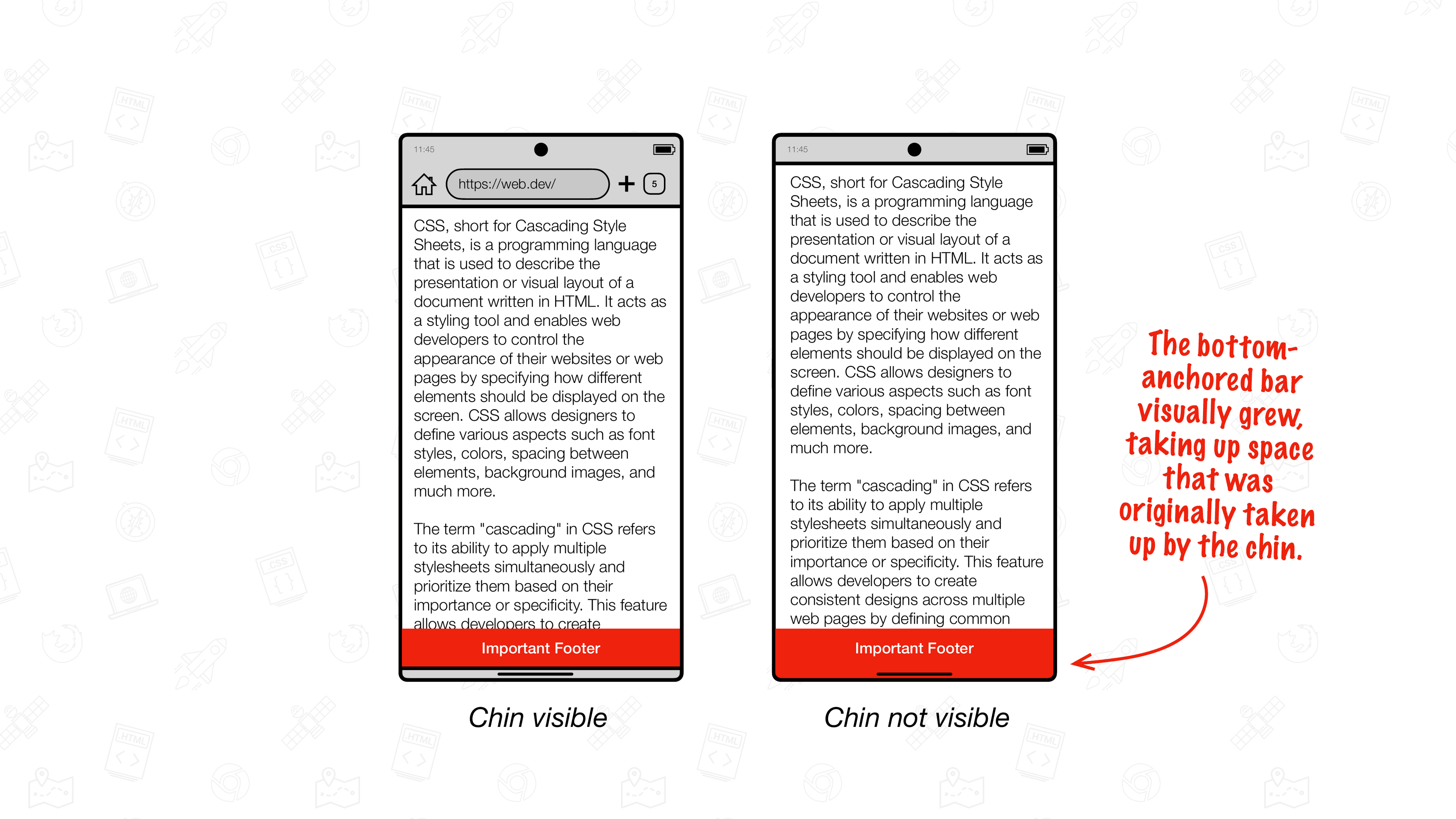
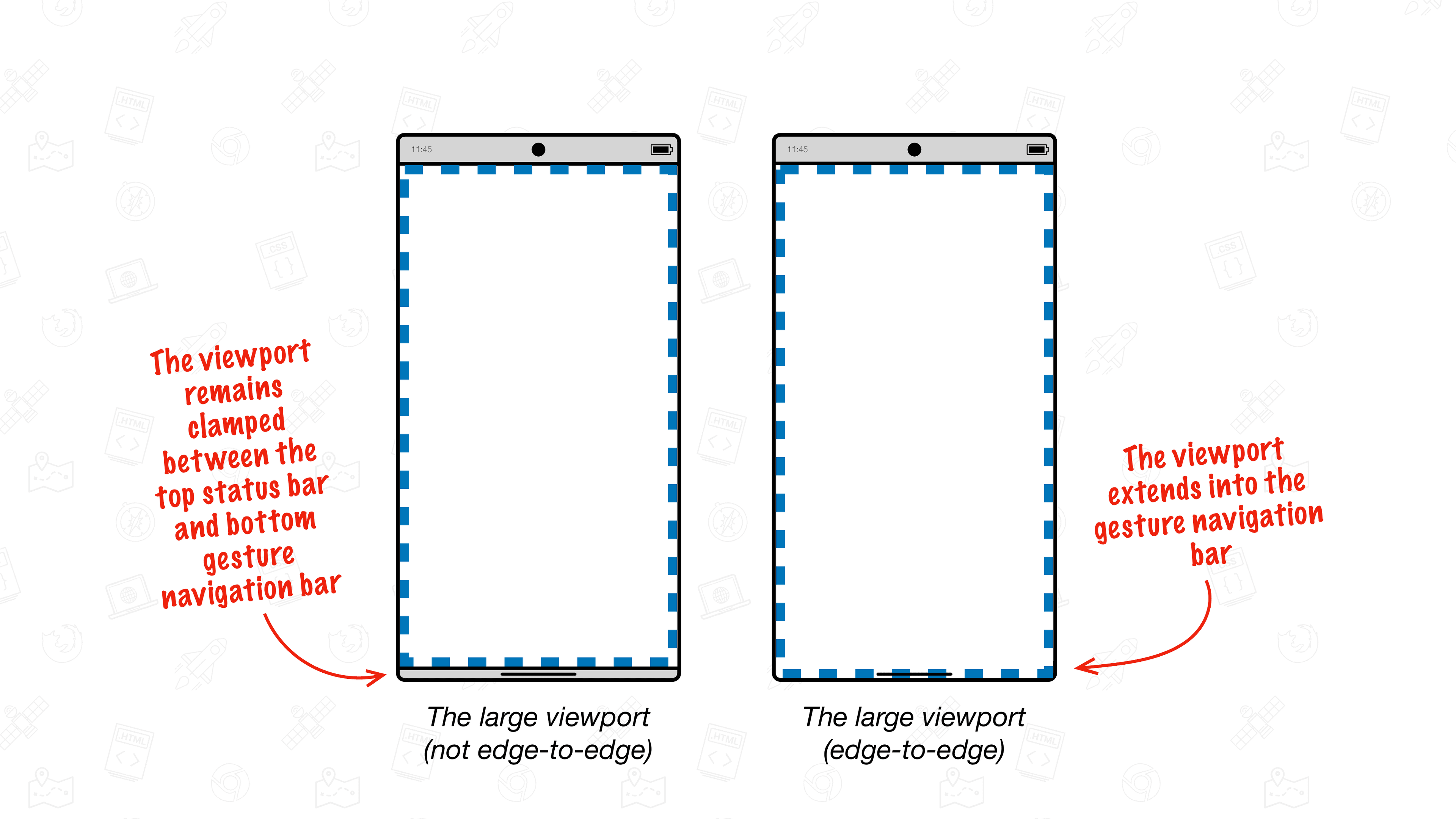
🗣️ PSA: Chrome on Android is getting an upgrade and will support edge-to-edge from Chrome 135. Here’s all you need to know to migrate your website to support edge-to-edge: (Be sure to check this guide if you have `position: fixed` content at `bottom: 0`. If you don’t have such content, you’re fine.)
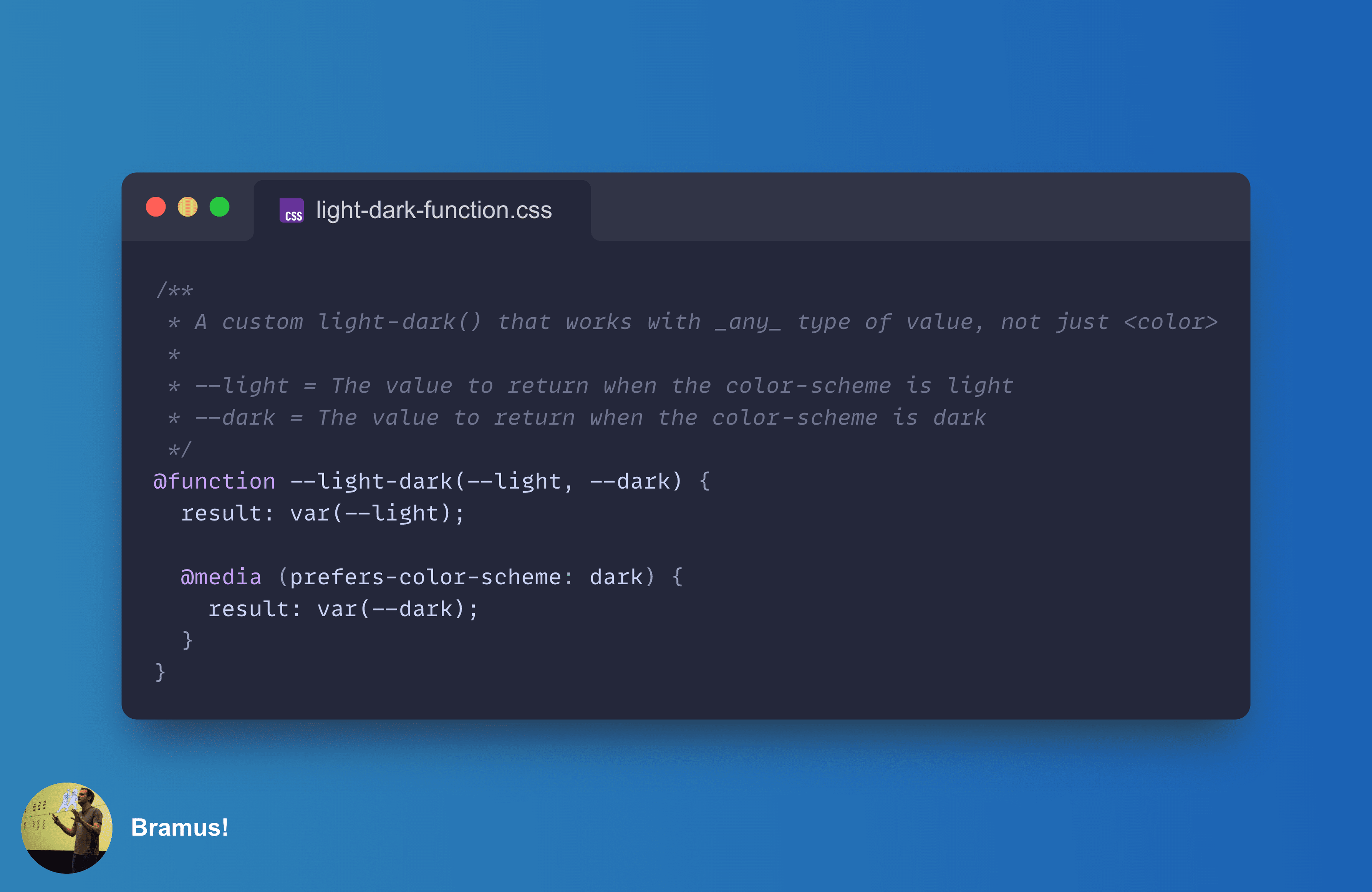
CSS Custom Functions are coming … and they are going to be a game changer! 👉 image
New in Chrome 133 – which goes stable on Feb 4 – is a new method to move an element around the DOM. Unlike the classic way of removing+reinserting a node, this moveBefore method preserves the element’s state! Iframes remain loaded, animations don’t restart, … DEMO: https://codepen.io/bramus/full/xbKzPJB (Add View Transitions for an even smoother move!)
Wait? What? – I don’t … HUH?! 😵‍💫
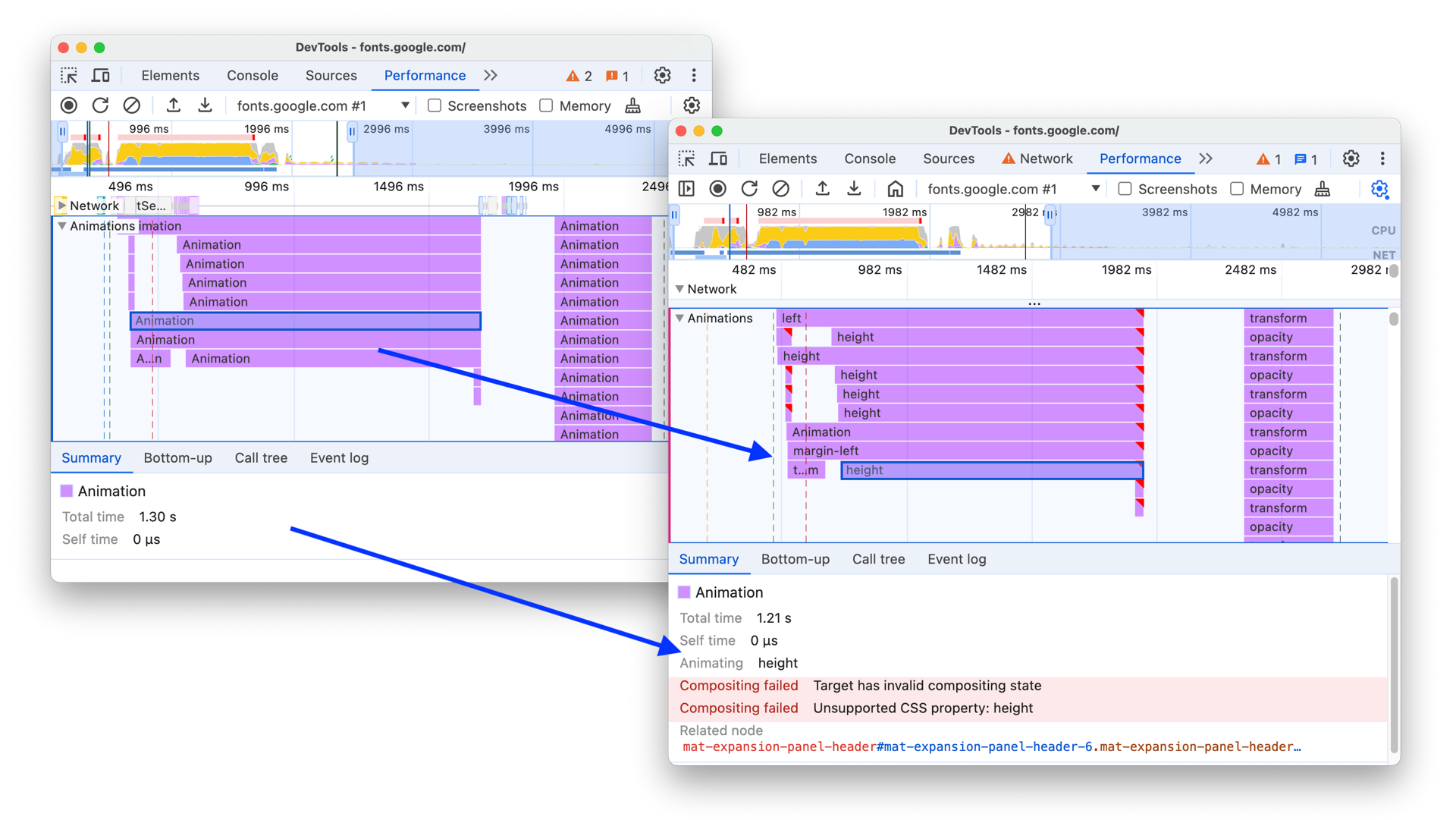
Spot Non-Composited Animations in Chrome DevTools > The animations track of a performance trace can now tell you if and why an animation was not composited.
CSS Wrapped 2024 is here! Just like last year, we – the Chrome DevRel team – have published CSS Wrapped, our end of year overview covering many of the new #CSS and Web UI features that landed in Chrome and The Web Platform in 2024. 👉 is the place to be!
🤩 Web Animations Excitement! 🎉 🎉 `Animation.overallProgress` is coming! 🎉 🎉 With it, you can easily and consistently get an animation’s progress, regardless of the timeline being used. Here’s a demo that syncs a Scroll-Driven Animation’s progress to a 3D model’s rotation: https://codepen.io/bramus/full/xbKxRzy (Needs a browser with Scroll-Driven Animations support. Uses `Animation.progress` when available or falls back to some extra code to get the progress)
As of Chrome 131 you have more options to style `<details>` and `<summary>`. You can now use the `display` property on these elements, and also use a `::details-content` pseudo-element to style the part that expands and collapses.
A while ago [@paul_irish]( ) and I tweaked the Chrome DevTools Performance Timeline to make it more easy for you to spot + debug non-composited animations. - Non-composited animations are marked with red triangles - Upon selecting, you now see the reason + relevant properties for why compositing failed image
 Chicago Kare by Duane King A Faithful Reproduction of the Bitmap Version of the Chicago Typeface Created by Susan Kare for Apple Computer in 1984.