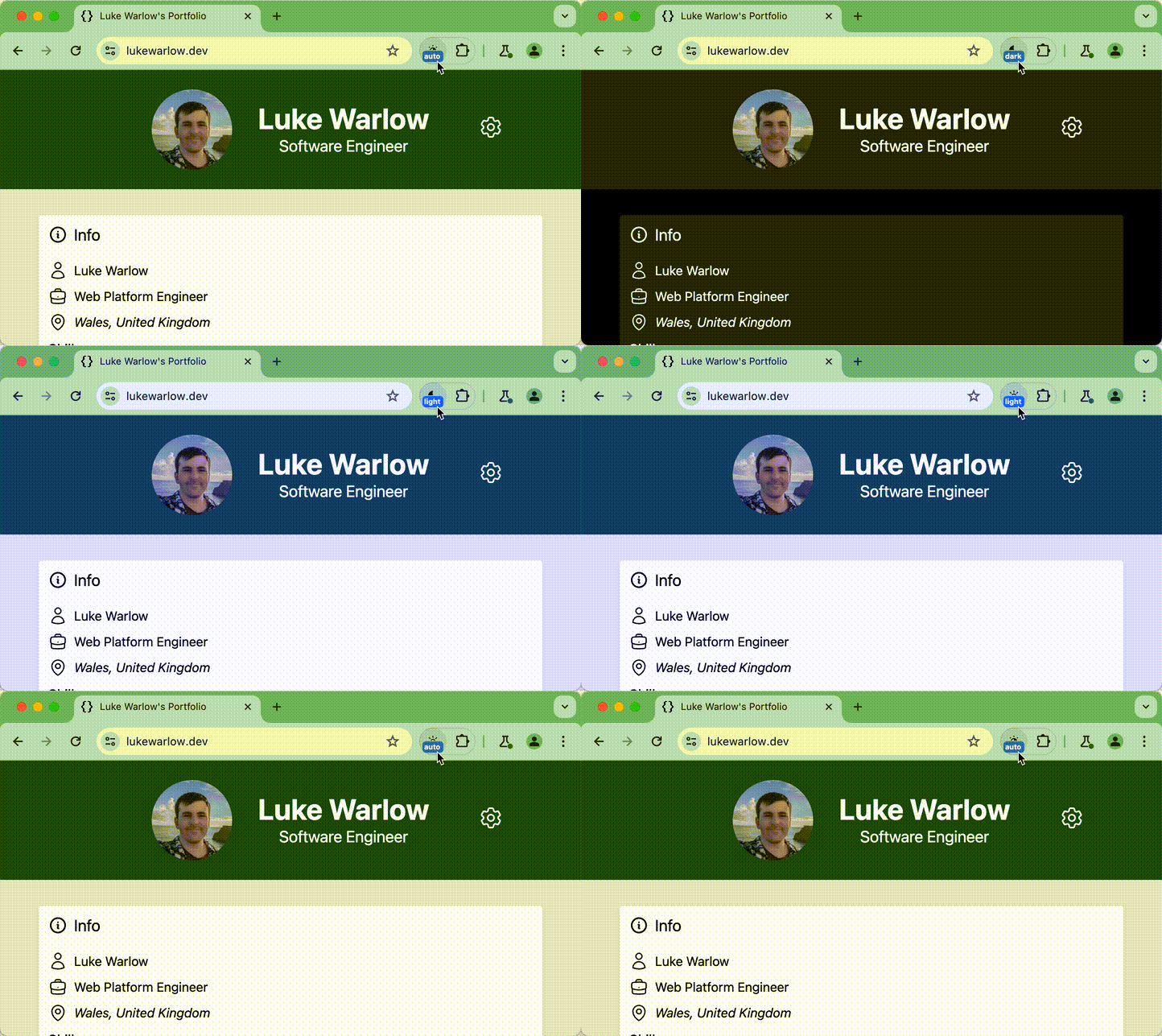
I published a new version of my experimental Chrome Dark Mode Toggle extension. On top of per-origin override, you can now set a Chrome-wide preference to have your OS in Dark Mode but all sites in Light Mode (or vice versa). Sites can also request an override, thanks to the Web Preferences API. See for more details.
Wow, look at this AMAZING Scroll-Driven Animations demo by Paul Noble! https://codepen.io/paulnoble/pen/gOVPedz Go check it out (and hit the ❤️ icon).
📝 Solved by CSS Scroll-Driven Animations: hide a header when scrolling down, show it again only when scrolling up again. By adding a long transition-delay to a CSS property under certain conditions (which you can do using a Style Query), you can persist its value. 🔗 Demo by @npub1xg9g...uter.
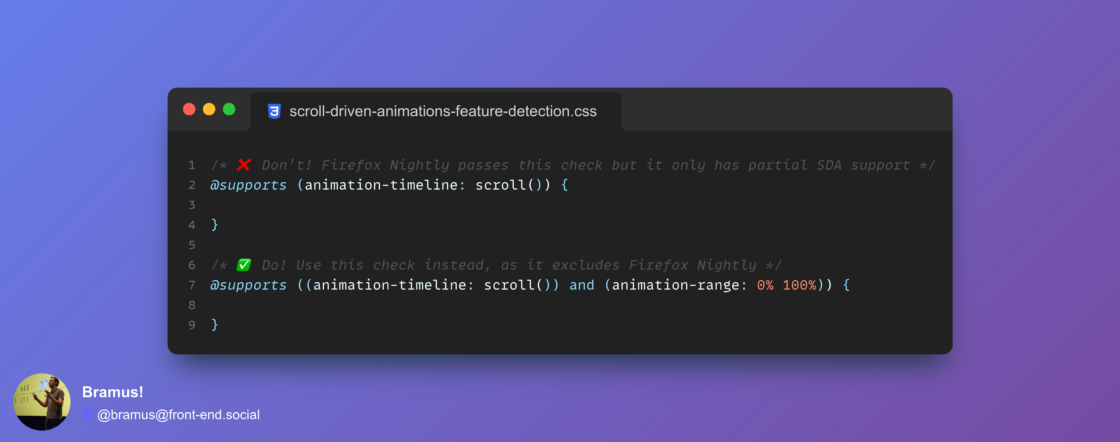
Feature detecting Scroll-Driven Animations with `@supports`: you want to check for `animation-range` too. The problem is that a check for simply `animation-timeline: scroll()` does not exclude Firefox Nightly, which only has a partial SDA implementation. Details: image
Something to add to your CSS reset from now on: ``` :root { interpolate-size: allow-keywords; } ``` It enables things like transitions from `height: 0` to `height: auto`.
A often-heard complaint about View Transitions is how it handles clip-path, border-radius, opacity, … The snapshots fade, while you’d want the clip-path to actually animate. Also, nested elements bleed out their container because the snapshots are a flat list instead of a nested tree.
Exciting release, as Safari now joins Chrome in supporting (Same-Document) View Transitions and Style Queries! 🎉 🔗 View Transitions: 🔗 Style Queries:
“Shake mouse pointer to locate” is such a good #macOS feature. I use it almost daily. “Where is that damn mouse again?!–Oh, it’s right there.”
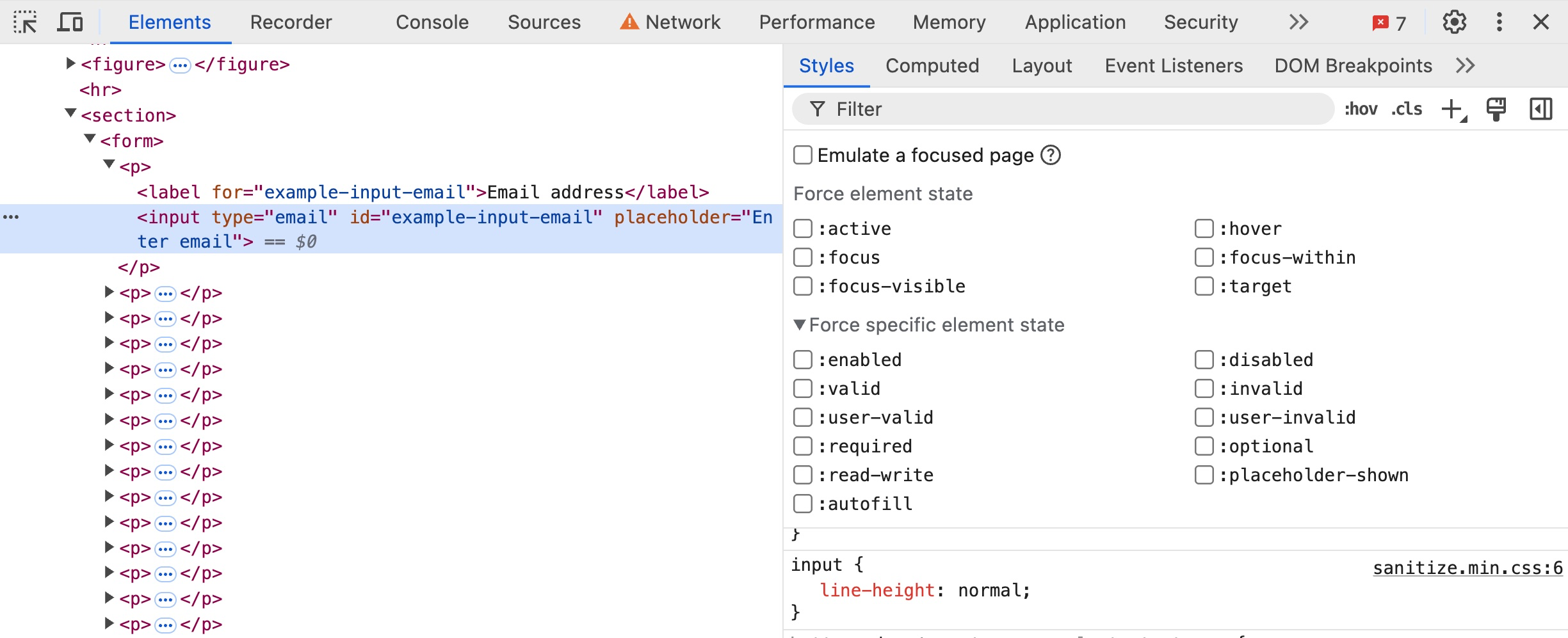
New in @ChromeDevTools (in Chrome Canary): You can now force more states – such as :active, :focus, … – onto elements. For example, when inspecting an <input> element you can now also force states such as :enabled, :valid, etc. image
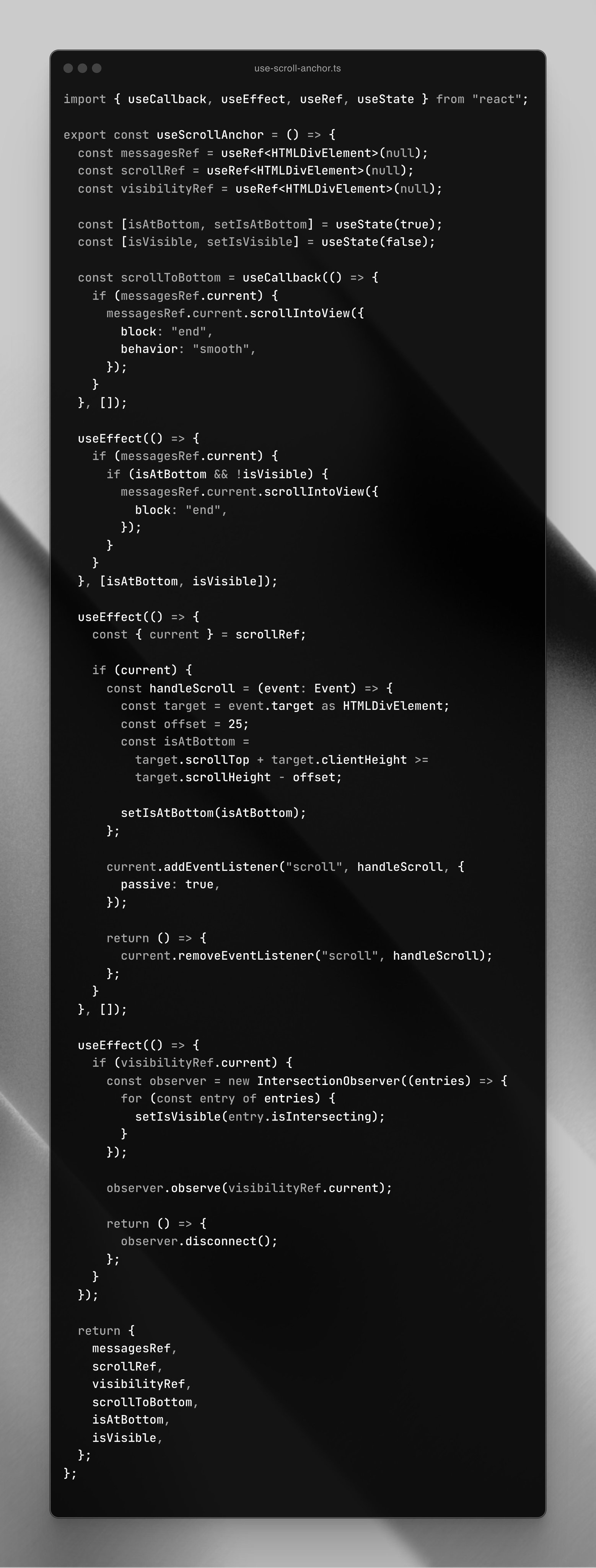
Today I saw this React hook (see photo) get shared on birdsite. It enables one to “automatically scroll down when new messages arrive in a chat”. While it might work, you could — and should — use this little bit of CSS instead: ``` .log { scroll-snap-type: y proximity; align-content: end; } .log::after { display: block; content: ""; scroll-snap-align: end; } ``` “… remains snapped to the bottom …unless the user has scrolled away from that edge” — image