New in Chrome 133 – which goes stable on Feb 4 – is a new method to move an element around the DOM. Unlike the classic way of removing+reinserting a node, this moveBefore method preserves the element’s state! Iframes remain loaded, animations don’t restart, … DEMO: https://codepen.io/bramus/full/xbKzPJB (Add View Transitions for an even smoother move!)
Wait? What? – I don’t … HUH?! 😵‍💫
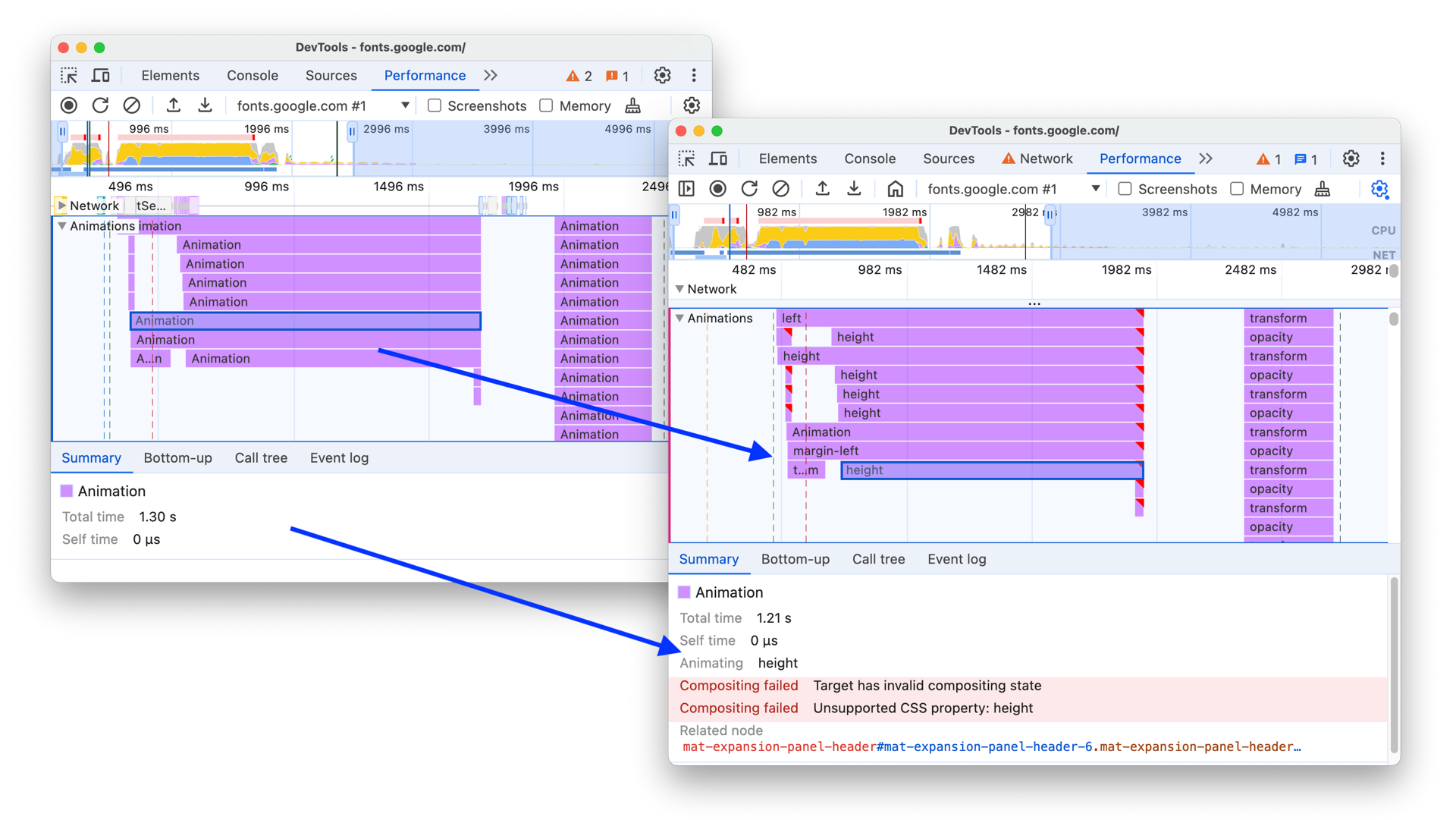
Spot Non-Composited Animations in Chrome DevTools > The animations track of a performance trace can now tell you if and why an animation was not composited.
CSS Wrapped 2024 is here! Just like last year, we – the Chrome DevRel team – have published CSS Wrapped, our end of year overview covering many of the new #CSS and Web UI features that landed in Chrome and The Web Platform in 2024. 👉 is the place to be!
🤩 Web Animations Excitement! 🎉 🎉 `Animation.overallProgress` is coming! 🎉 🎉 With it, you can easily and consistently get an animation’s progress, regardless of the timeline being used. Here’s a demo that syncs a Scroll-Driven Animation’s progress to a 3D model’s rotation: https://codepen.io/bramus/full/xbKxRzy (Needs a browser with Scroll-Driven Animations support. Uses `Animation.progress` when available or falls back to some extra code to get the progress)
As of Chrome 131 you have more options to style `<details>` and `<summary>`. You can now use the `display` property on these elements, and also use a `::details-content` pseudo-element to style the part that expands and collapses.
A while ago [@paul_irish]( ) and I tweaked the Chrome DevTools Performance Timeline to make it more easy for you to spot + debug non-composited animations. - Non-composited animations are marked with red triangles - Upon selecting, you now see the reason + relevant properties for why compositing failed image
 Chicago Kare by Duane King A Faithful Reproduction of the Bitmap Version of the Chicago Typeface Created by Susan Kare for Apple Computer in 1984.
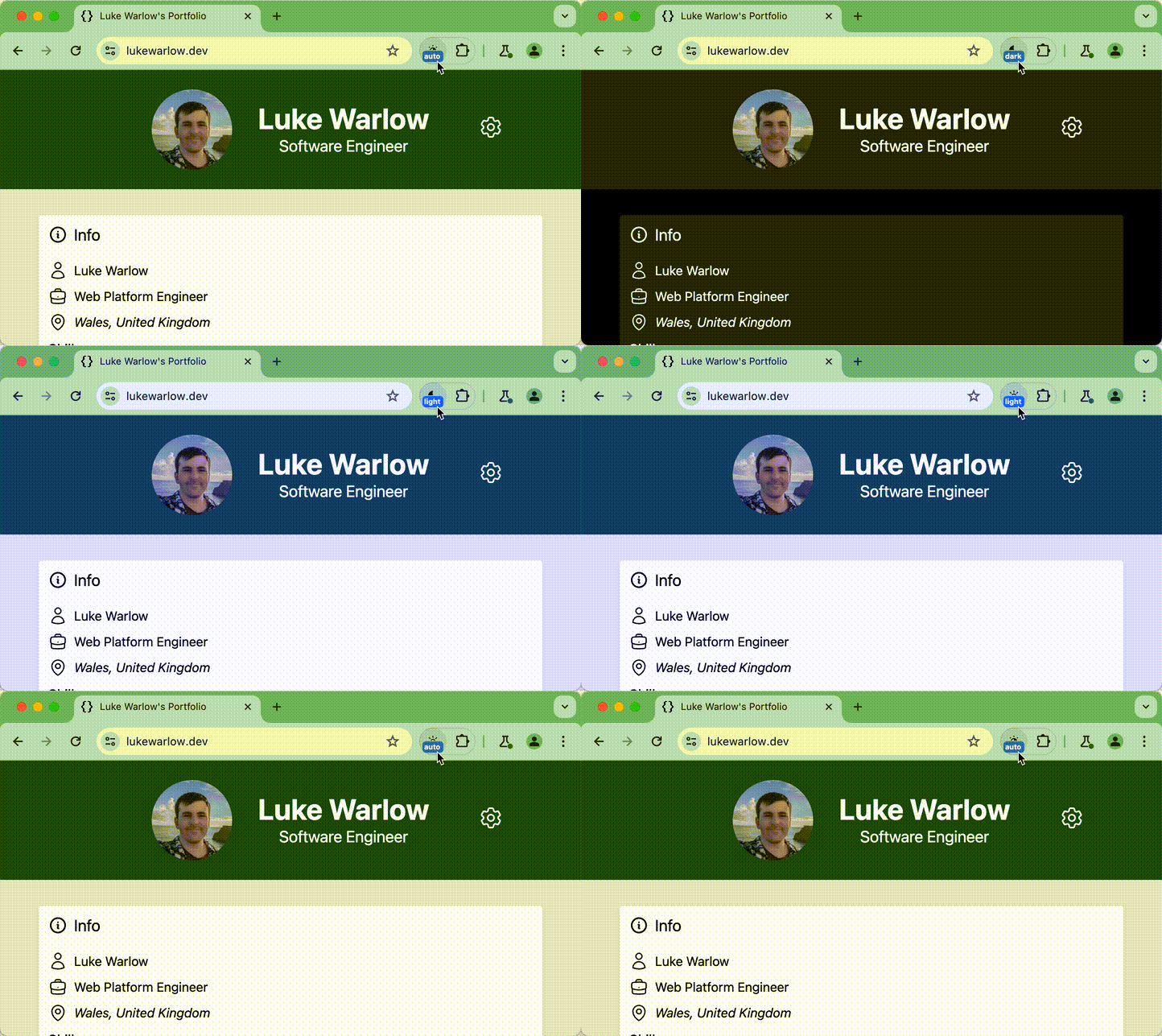
I published a new version of my experimental Chrome Dark Mode Toggle extension. On top of per-origin override, you can now set a Chrome-wide preference to have your OS in Dark Mode but all sites in Light Mode (or vice versa). Sites can also request an override, thanks to the Web Preferences API. See for more details.
Wow, look at this AMAZING Scroll-Driven Animations demo by Paul Noble! https://codepen.io/paulnoble/pen/gOVPedz Go check it out (and hit the ❤️ icon).