Communia bets social media can be good for you Olivia DeRamus is flipping the script: “What if scrolling through social media didn’t make us miserable? What if, especially for women, social media could actually make us feel more supported?”. “It’s certainly not what mainstream social platforms have been built for,” DeRamus told TechCrunch. But with her social platform Communia, DeRamus is daring to try something that seems counterintuitive. Communia is both a social platform and a mental health tool; you can post updates in a community feed, or you can privately journal and track your emotions over time. But for users to get vulnerable, they need to feel safe. So, the platform is taking an approach that could polarize some, but could reassure others: People must verify their identity before they can fully use the app. “It’s a safety feature, but it also kind of sets the tone that this is an intimate space and that you’re safe here,” she said. “So people feel more empowered to talk about their PMDD, or to talk about the difficult life experience they’re going through.” I've always suspected that anonymous pseudonyms have often led to online abuses, bullying and trolling. So by identifying people, we would probably see more accountability and respect online. I get that many don't want to be identified online, and that is a perfectly good choice, but for those who want a safer place online the choice to choose a network that verifies identity may be their perfect choice. And I believe it is very good that there is this choice to be had. But to survive, it will need to be economically viable. With verified identities, you really do not want to have your metadata being shared elsewhere. So let's hope the economic model is sustainable and also respects rights to privacy. See #technology #socialnetworks #Communia #mentalhealth image

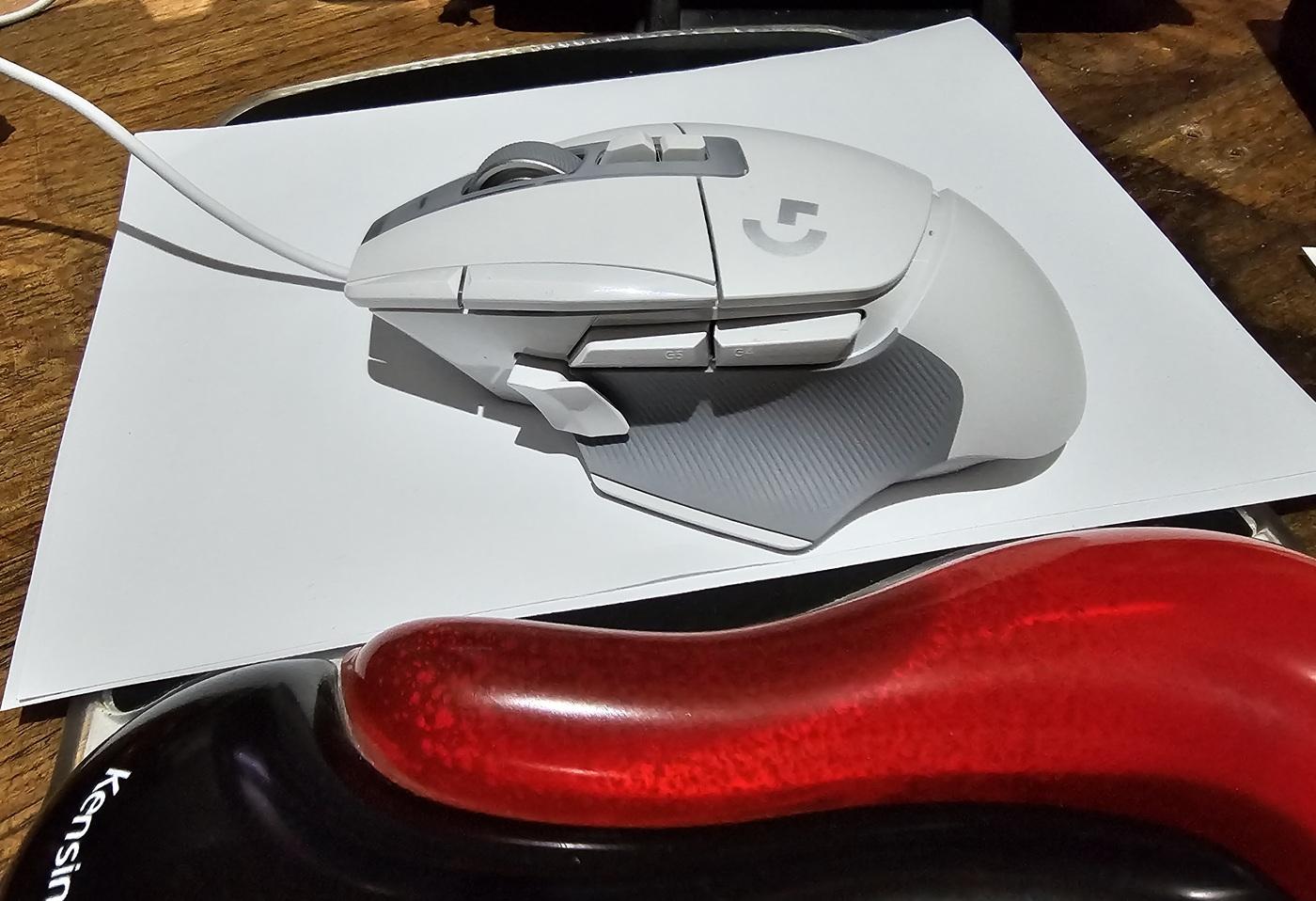
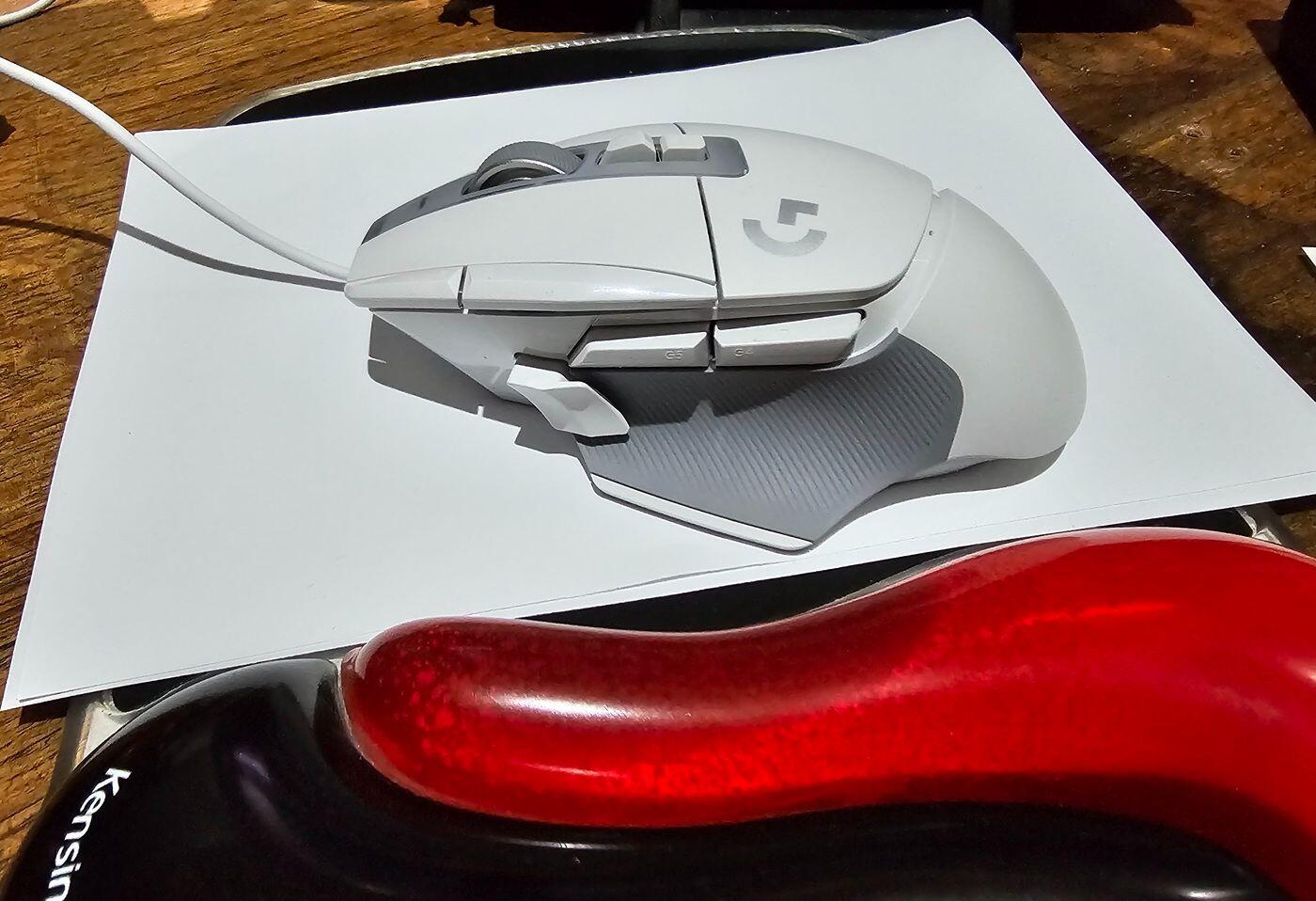
This is why I bought the Logitech G502 X mouse for my Linux desktop instead of the MX Master 3S I wanted to move off the Redragon Mammoth mouse, mainly because I started to want a free-scrolling mode scroll wheel. I often read long posts, or I am editing long webpages, and find myself having to hit the scroll wheel 5 or 10 times to scroll up or down. With a free spinning wheel, it is a single flick, and it goes up or down the page. It is a longish post, so I have produced it in full as a blog post at the link below. See #technology #Logitech #mouse #Linux image
How the Stream Deck rose from the ashes of a legendary keyboard The keyboard was just a concept, dreamed up by Art Lebedev, a Russian design firm, and it was an ambitious idea at that: called the Optimus Maximus, it would require over 100 built-in screens using display technology that wasn’t readily available at the time. With all the excitement, the firm decided to make it real. “You’re on a sinking ship, you’ve got to figure out what you’re going to do,” recalls Elgato’s Julian Fest, whose parents originally founded the company in 1999. A very interesting read, and also a lesson in how imminently bankrupt companies can turn their whole game around by doing something different (think also of Netflix). See #technology #StreamDeck #change image
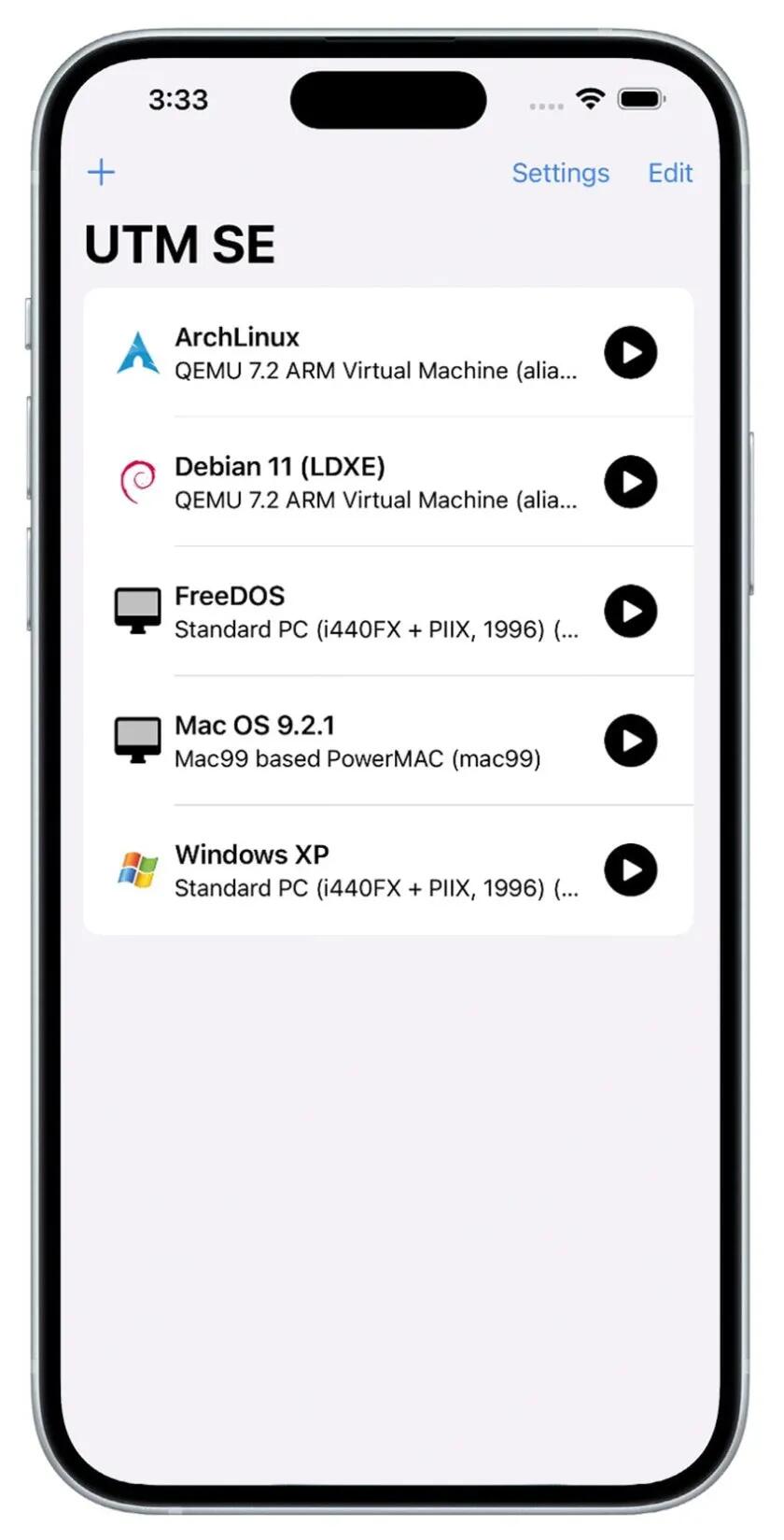
Apple Approves QEMU-Based PC Emulator App for iOS UTM SE can emulate a variety of desktop operating systems and system architectures, including MS-DOS, Windows XP, and (of course) many Linux distributions—all without workarounds, jailbreaks, or side-loading .ipa files through Xcode. This really would not be news at all for ANY other platform, but for Apple it is a big deal when they release a single notch of control to users (remember the alternative EU App Store?). This may not be very fast, and right now will probably be used mostly for retro games like Doom. It is because of how Apple allows something to run on its platform, and why it can't run as a proper VM. Also, it's called an emulator, not a virtual machine. The QEMU-based UTM SE works with iPhones and iPads running iOS 14.0 or later. And no, it won't be running Steam games. See #technology #iOS image
11 Obsidian tips and tricks for boosting productivity with this Markdown editor and notes app Obsidian is quite popular among writers, researchers, and students. When you create a long blog post, research paper, or project overview in Obsidian, navigating it using a keyboard and mouse can be cumbersome at times. Obsidian has a built-in feature to glance over page outlines and jump to relevant headings with a single click. This is the 3rd article I've seen in two days about Obsidian tips and tricks. I have no idea why, but I have to admit even as a long time Obsidian user (I've done a video about it as well), I've actually picked up some new tips (because things change) so I suppose it is worth resharing something again about Obsidian. New is a feature-rich Editing Toolbar at the top because the cMenu plugin I was using has not been updated for quite a while. This toolbar is more like the traditional toolbars you find on most word processors, and will be especially useful for new users. I'd picked up on the Canvas plugin in an article yesterday, and it is quite a useful tool for mapping out thoughts and ideas for brainstorming, a bit like a mind map. For me, apart from the rich ecosystem of plugins for Obsidian and the fact it saves in Markdown format, I make a lot of use of tagging and linking notes in Obsidian. I have hundreds of notes over the years, many of which were imported from when I used other Markdown editors. See #technology #notes #Obsidian image
How to fake the GPS location on your iPhone or Android phone Perhaps you're trying out an app that searches for nearby stores or restaurants in another city, wanting to access services that are only available within a specific country or region, or playing a location-based game. Whatever the reason, sometimes it's useful to be somewhere else as far as your smartphone is concerned. The good news is that with the right tools, it's not difficult to spoof your GPS location. But of course that process is a LOT easier when using an Android phone. It's important to keep in mind that this process isn't foolproof, and can have unintended side effects. For example, while you're running an app that fakes your GPS location, it will affect built-in services like Find My iPhone and Find My Android because the location of any nearby AirTags will be misreported, and your phone will possibly even supply an incorrect location to emergency services like 911. See #technology #location image
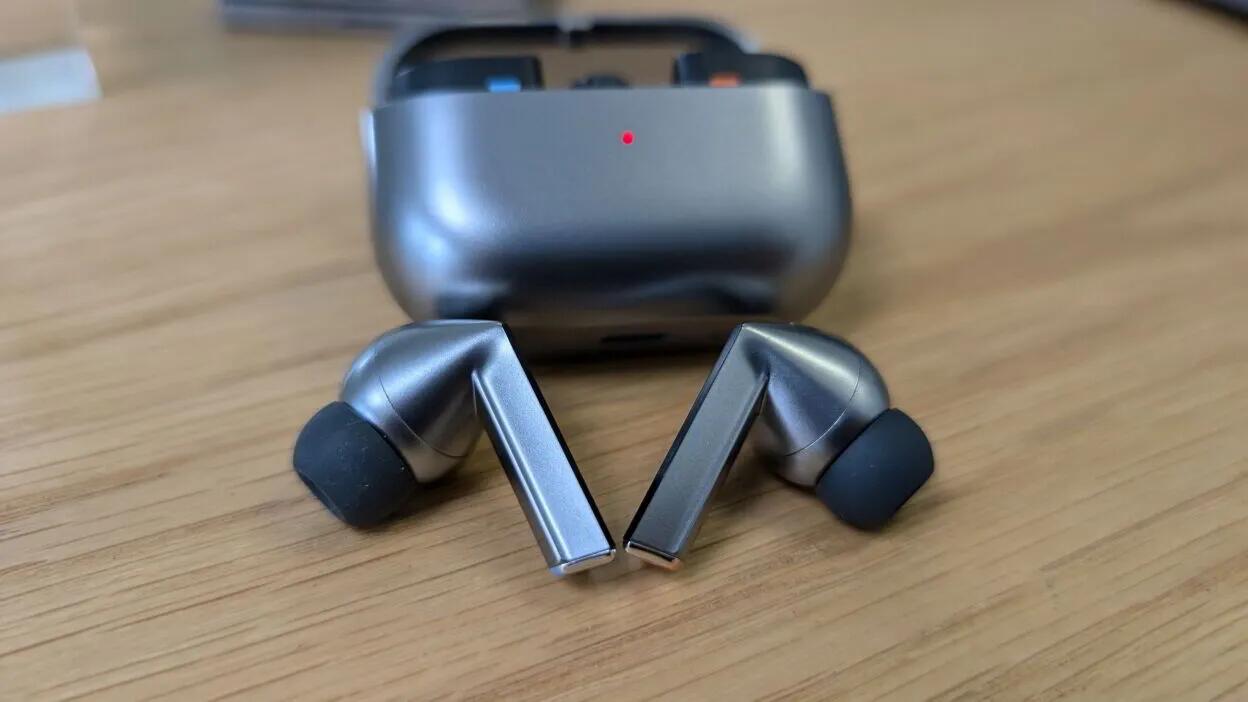
Samsung's Latest Galaxy Buds Might Be Android's Answer to AirPods One cool feature for the Galaxy Buds 3 Pro is Auto Noise Adjustment, which can automatically adjust the ANC for you. For example, if your earbuds detect an ambulance siren, they'll turn the ANC to Ambient mode so you can stay aware of what's going on around you. If there's construction noise, they'll turn up the ANC to full to block any external noise. For sound, the Galaxy Buds 3 (the non-Pro model) has a 1-way single amp and dynamic driver along with Adaptive ANC (an odd choice for buds without a seal). With the standard Buds 3, you lose out on the Auto Noise Adjustment feature that the Buds 3 Pro have. I do like that adaptive ANC as my own Anker Soundcore's do have adaptive ANC, but it is more for levels of noise, and don't automatically let a speaking voice or a siren through. But that is purely software, and there is no reason why Anker should not be offering that. That said, I still have a fear of paying so much for any of these devices if the non-replaceable batteries are only going to last 2 or 3 years max. I never bought another pair of AirPods after mine's batteries dies just after 2 years. Samsung's Ring also sounds interesting (I have the Oura right now) but I'm really waiting to first see what the reviews have to say, and see what functions are actually available (and how well they work). See #technology #earbuds image
OMG!! R300 million stolen in massive cyber-heist in South African gov dept over 10 year period Cybercriminals have stolen at least R300 million from South African taxpayers over the past ten years thanks to security flaws at the Department of Public Works and Infrastructure. I am just dumbstruck over this, and can only quote the Minister's own words here: "The minister said it was unthinkable that this had gone on for so long without being noticed". When is South Africa going to take cybersecurity seriously with government? Despite the Cybersecurity Hub , a National Cybersecurity Policy Framework (NCPF), etc, we see posts and a website, but very little in the way of actual preventative actions. The country has been embarrassed by more than one department denying they've been hacked at all, only to find out a week later after the data is leaked, that the department had no clue what they were talking about. I've actually tried contacting the Cybersecurity Hub using their PGP encrypted e-mail to get suggestions on bolstering a government website I assisted in maintaining, but never got any response from them at all. I think at one stage their mailbox was also full. Cybersecurity is not just about financial loss, or exposing citizen's private data, but also about protecting the very sovereignty of the country. Intrusions today can also expose backend systems and even state or military secrets. I'm really not sure these types of expertise actually exist within the departments themselves, as they are firstly highly specialised, but are also evolving daily. See https://mybroadband.co.za/news/security/543863-r300-million-stolen-in-massive-cyber-heist.html #technology #SouthAfrica #cybersecurity image
Openvibe combines Mastodon, Bluesky and Nostr into one social app See
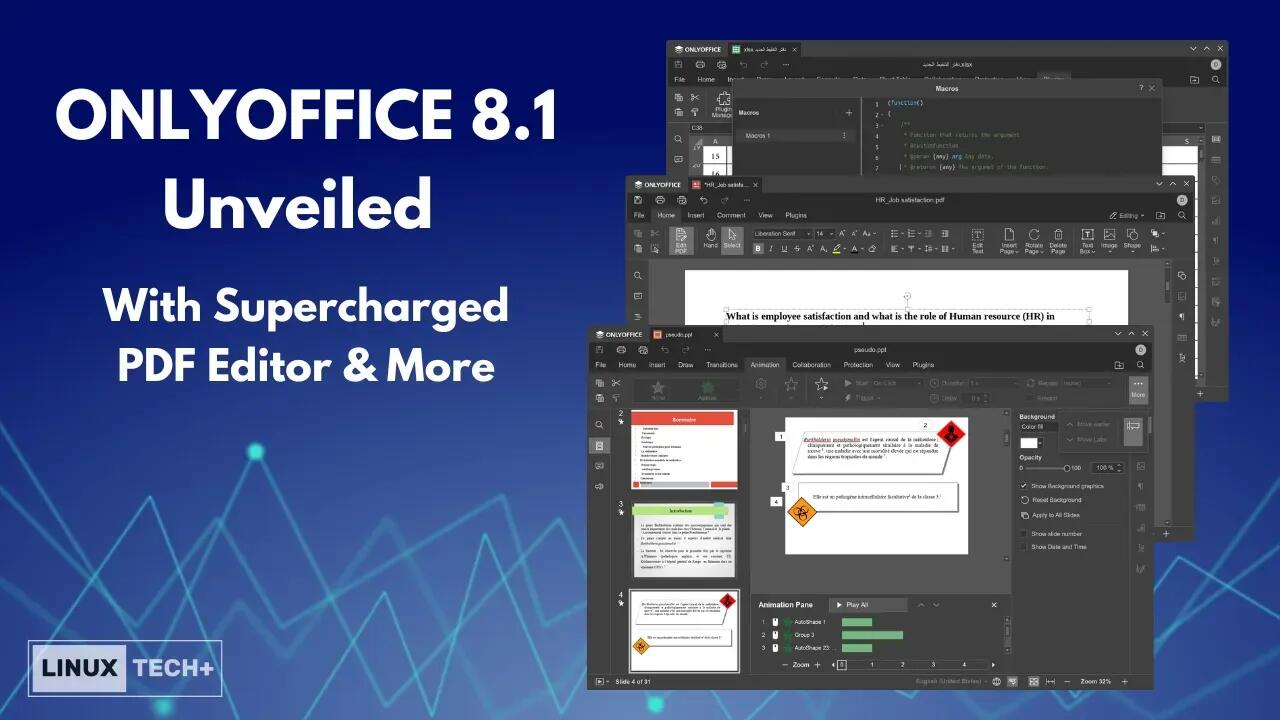
Cross-Platform ONLYOFFICE 8.1 office suite has an excellent PDF editor and forms creator With this update, the PDF editor also supports page deletion, rotation (left or right), and insertion (blank page before or after), all easily accessible from the "Home" tab (remember to enable "Edit PDF"). Moreover, you can now insert and adjust existing objects, including images, tables, hyperlinks, and equations. On the "Home" tab, click "Edit PDF," then go to the "Insert" tab to add an object (some options are directly accessible on the "Home" tab). To adjust an existing object like an image, select it and edit (rotate, resize, etc.). ONLYOFFICE 8.1 has eliminated the DOCXF format and now uses PDF forms, allowing you to easily create complex forms entirely in PDF. This change ensures that users with various devices and software can fill out your forms more easily, unlike DOCXF forms, which require compatible software to open and edit. Not so funny how Microsoft always end up locking you into using their products (mainly because they do not support truly open standards). So good to see a proper open PDF format being supported here. It is fully compatible with Office Open XML formats: .docx, .xlsx, .pptx. ONLYOFFICE is released under the GNU Affero General Public License, so it ensures that anyone who modifies the code, must also release the modified code. It works without a cloud account. It will install on Windows, macOS, and Linux (including AppImage, Flatpak, or Snap versions). See #technology #officesuite #opensource #PDF image