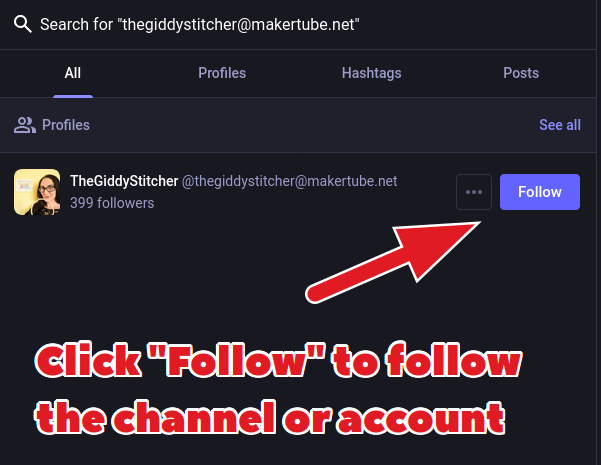
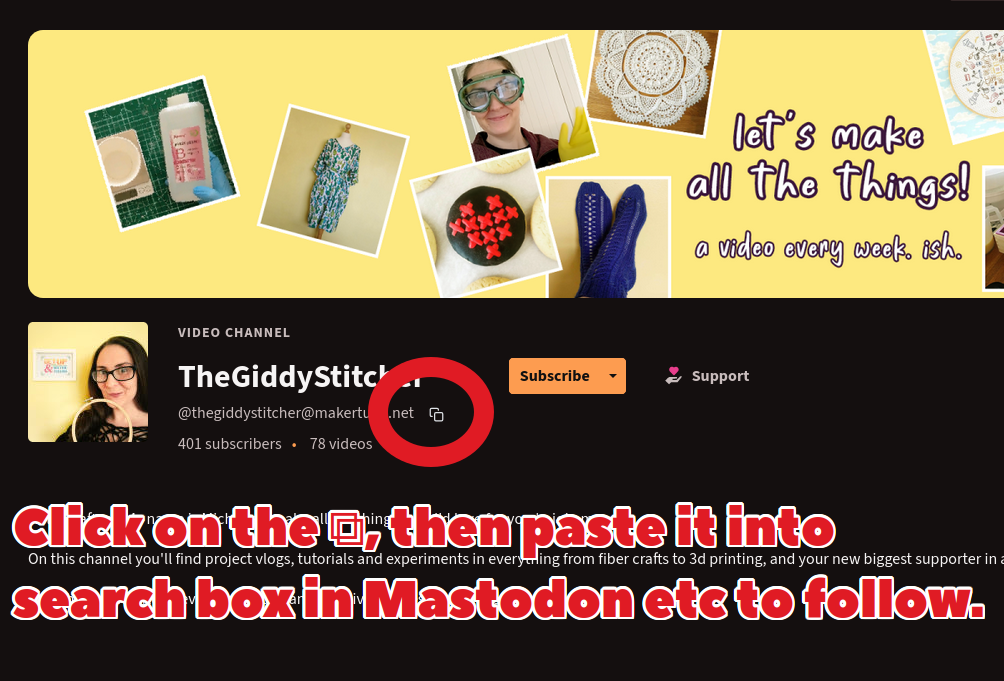
It's very easy to discover and follow PeerTube accounts & channels from Mastodon: 1. Go to a PeerTube site (e.g. ) 2. On the account or channel you want to follow, click ⧉. This copies its Fediverse address. 3. Paste the Fediverse address into the search box in Mastodon etc. This makes the profile appear within Mastodon and you can just click "Follow". To easily and safely discover high quality PeerTube stuff, have a look at #FediTips #PeerTube
The Fediverse is far more than just Mastodon, there are also lots of other types of server on here. Many of the accounts you follow and interact with on Mastodon may not actually be on Mastodon themselves! Here's a list of some popular Fediverse server types, click on a type's name to find out more about it: ➡️ https://fedi.tips/what-other-kinds-of-servers-are-on-the-fediverse For example @npub1mmex...c6z5 is a video account on a PeerTube server, @npub1zpe5...3k8j is a photo account on a Pixelfed server. #FediTips #Fediverse
Did you know you can install Fediverse servers' websites as apps on your phone? These "web apps" let you have the most fully-featured versions of Mastodon, PeerTube, Pixelfed etc as apps on your home screen, including notifications, full screen interfaces etc. It's very easy to install web apps on Android and iPhone/iPad, full instructions in this guide: ➡️ Most web apps have more features than app store apps, due to restrictions in app store rules. #FediTips
If your Mastodon server is being very slow today, it may be due to a DDoS attack on one of the biggest hosting providers. They are aware of the situation and they're taking action against the attack. This attack doesn't affect servers running on different hosting providers. #Mastodon #MastoAdmin
For technical reasons, a profile may sometimes look blank if no one on your server follows it. To see the most complete and updated version of a profile, you can check its "original page". This is the original version of the profile hosted on its server. You can usually view a profile's original page by clicking ⋯ on the profile, then "Open in browser" or "Open original page". Original pages also have lots of other uses, more info in the guide at: ➡️ #FediTips
Some good news for people on iPhones or iPads, the quirky and fun third party Mastodon app Toot! is back in development 🥳 They've opened beta testing for the new release which will bring the app back up to date. You can follow the latest news about the Toot! app at: ➡️ @npub1gwrs...ajrm You can sign up for the beta at: ➡️ You can see some screenshots and read a brief review of the old version of the app at: ➡️ #Mastodon #FediTips #iOS #iPhone #iPad